
CNIC Renewal Online 2026 — Complete Guide
Most Pakistani citizens treat CNIC renewal as a reactive task something done only after the card has already expired and bank accounts get flagged or SIM cards face deactivation. That reactive mindset costs more than just time. NADRA, the National Database Registration Authority built the Pak ID App and id.nadra.gov.pk precisely to shift this behavior: turning a bureaucratic obligation into a seamless digital process completable from home in fifteen minutes.
What once meant standing in long queues at government offices now fits entirely within a mobile application on iOS or Android. The PAK ID App uses AI-powered biometric capture including facial recognition and fingerprints making it a genuine pioneer in digital governance globally. Whether your passport application is pending, your property tax filing is due, or your children’s school admissions depend on a valid document, keeping your CNIC active is the single most important administrative habit a Pakistani adult can maintain.
What Is CNIC and Why You Need It
The CNIC is not merely a piece of plastic it is the foundational document upon which Pakistan’s entire citizen infrastructure rests. Issued by NADRA to every Pakistani citizen aged 18 and above, it functions as the primary legal identity document in ways a driver’s license or passport cannot replicate. Your NTN for FBR tax filing and refund claims is literally your CNIC number. Your eligibility for Ehsaas Program, BISP cash transfers, and subsidized Rashan is CNIC-linked. Every mobile SIM is legally tied to it, and PTA can trigger deactivation during periodic compliance drives if yours is expired.
What practitioners in this space understand and general guides miss is the cascading effect of expiry. It is not one service that breaks; it is everything simultaneously. Property purchase, sale, and transfer deeds stop. Utility connections for electricity, gas, and water cannot be registered. Driving license renewal or duplicate requests get blocked. Passport applications cannot proceed. Children’s school admissions get affected. Bank KYC checks flag expired cards, freezing debit and credit card transactions. Electoral rolls for voting are built from CNIC data. Courts, police FIRs, property disputes, and succession matter all require valid CNIC. NADRA does not charge a late fee but every institution running verification against the national database will reject your document once it crosses the 10-year validity window.
Benefits of NADRA CNIC Renewal Online
The obvious advantage people cite first, that no need to visit a NADRA office is the least interesting benefit. The deeper value is systemic. With scanned documents ready, the digital renewal process takes roughly fifteen minutes late at night after dinner or early morning with your tea. For overseas Pakistanis in Dubai, London, or New York, this is not merely convenient it is a lifeline. Before digital services, renewing meant booking expensive flights, taking leave from work, and spending days on logistics. Now an internet connection and your existing credentials are sufficient.
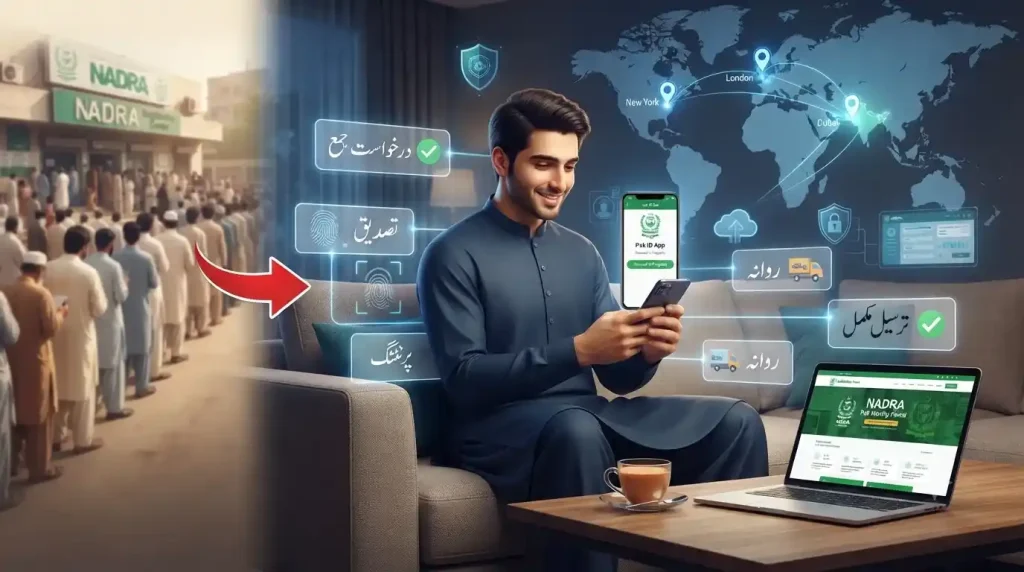
The benefit most underappreciated professionally is digital tracking the transparency it adds to a process that was historically opaque. Every stage submission, verification, printing, dispatch appears on your dashboard. You are never guessing whether someone misplaced your file. The system tells you directly, removing anxiety from what used to be an entirely invisible bureaucratic chain.
NADRA CNIC Renewal Eligibility Criteria
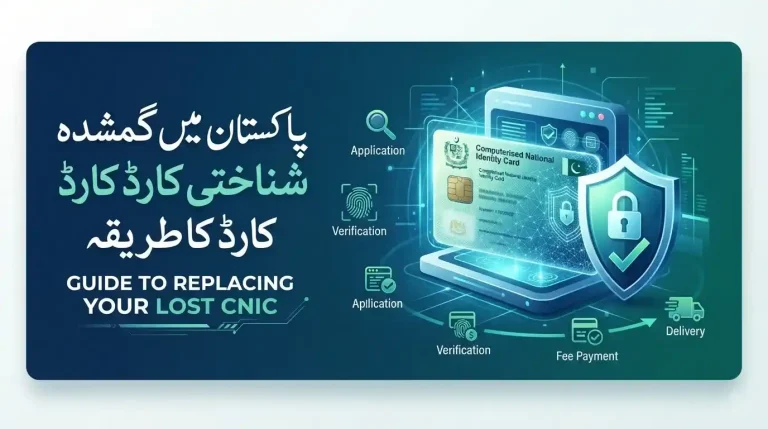
Eligibility for online renewal is deliberately inclusive to any citizen holding a previously issued CNIC with biometric data already in the system qualifies. This covers both expired and still-valid cards. The age threshold is 18 and above; anything below falls under the Child Registration Certificate (CRC) category, which follows a separate process entirely. Lost or damaged cards also qualify with renewal extending the same ID number rather than issuing a new one. If your card was stolen, you can request a duplicate alongside renewal in the same application.
Early renewal typically within six months of expiry is strategically smart. It avoids last-minute rushes that slow NADRA’s processing queues during peak periods. Even if your CNIC has expired for years, NADRA does not apply a direct fine. The practical cost of late renewal is not a penalty fee, it is progressive service blockage across banking, telecom, and government systems until you resolve it.
Types of NADRA Cards
| Card Type | For Whom | Key Features |
| CNIC | Pakistani citizens aged 18+ | 13-digit number, photo, fingerprints; valid 10 years; required for SIM, banking, voting, property, government services |
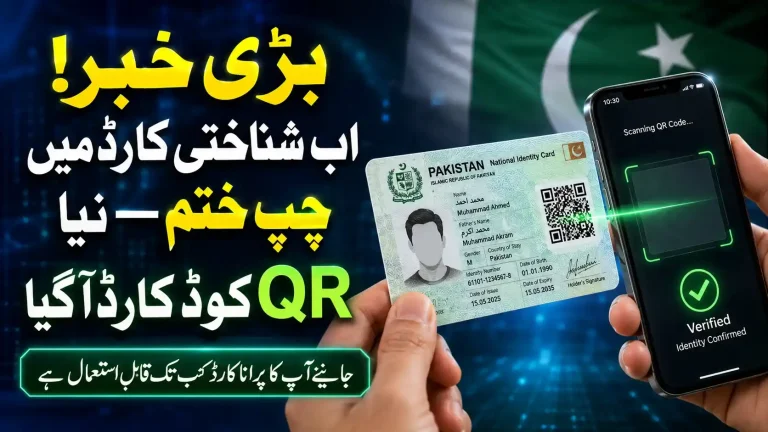
| Smart CNIC (SNIC) | Citizens renewing or turning 18 | Embedded microchip, QR code, NFC, machine-readable zone, biometric chip; only PKR 250 extra — strongly recommended |
| NICOP | Pakistanis permanently residing abroad | Visa-free Pakistan entry; proof of citizenship at embassies; supports British, Canadian, and other dual-nationality holders; fully online renewal |
| FRC | Families needing a consolidated record | Prints all household members from NADRA database on request |
| B-Form / CRC | Children under 18 | Linked to parents’ CNICs; becomes basis for first adult CNIC at 18 |
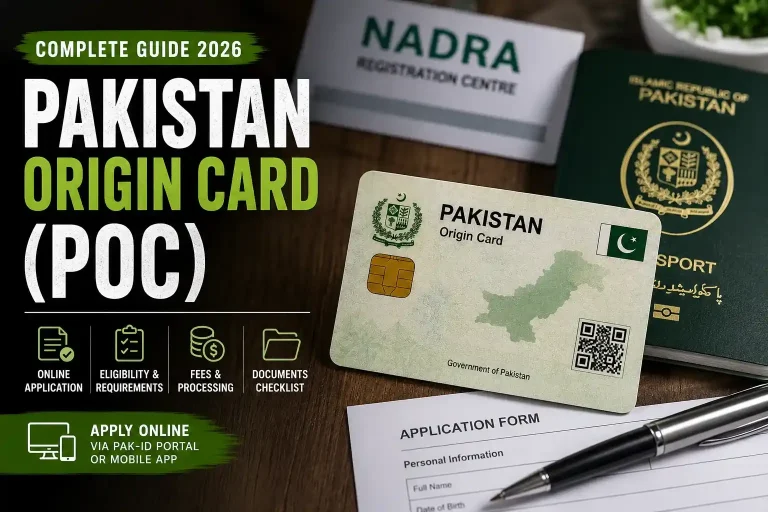
| POC | Foreign nationals of Pakistani origin | Long-term visa-equivalent access; property rights; no voting or Pakistani passport eligibility |
Online Renewal of Platforms
Two official platforms handle CNIC renewal: the Pak-ID Mobile App (available on iOS and Android) and the Pak-Identity Web Portal at id.nadra.gov.pk. The PAK ID App is not simply a digitized form, it is a purpose-built NADRA application using AI-powered biometric capture with fingerprints and facial recognition, making digital document submission genuinely functional from a smartphone. Services previously locked behind office counters are now accessible to anyone with a functioning phone and an internet connection.
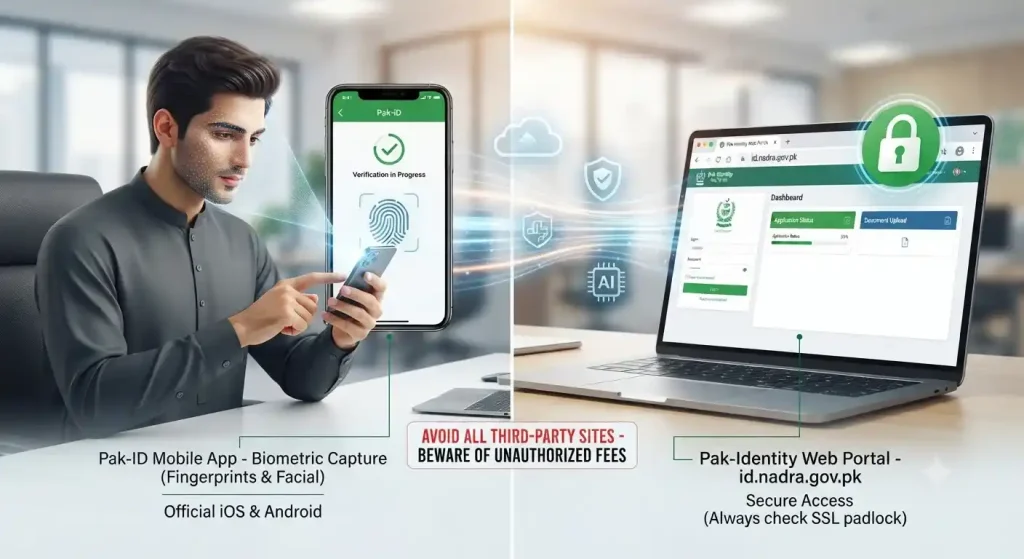
- Pak-ID App — Google Play Store or Apple App Store (verify official NADRA developer name — fake apps exist)
- Pak-Identity Web Portal — id.nadra.gov.pk (check SSL padlock; avoid all third-party sites charging extra fees)
CNIC Renewal Fee Structure 2026
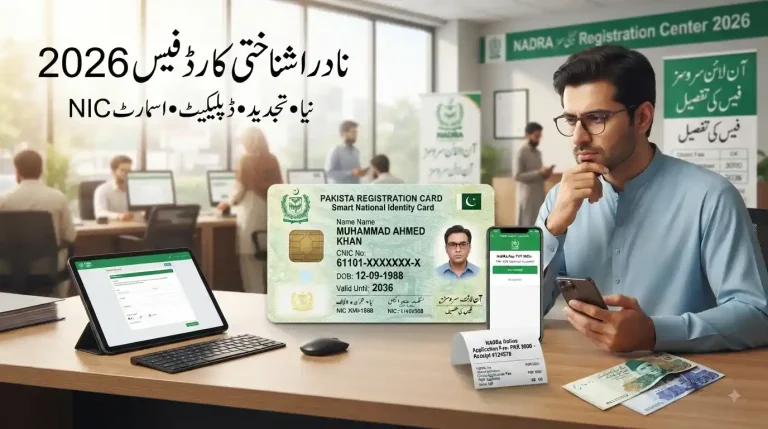
NADRA fees are fixed and non-negotiable. Every rupee beyond the official rate paid through any channel other than the Pak-Identity portal, Pak-ID app, or NADRA counter is unnecessary fraud risk. Fees are non-refundable once submitted always retain your payment receipt as proof.
Standard CNIC Renewal / Modification / New Application
| Processing Type | Approx. Turnaround | Fee (PKR) |
| Normal | ~30 working days | PKR 750 |
| Urgent | ~20 working days | PKR 1,500 |
| Executive | ~10 working days | PKR 2,500 |
Smart CNIC (Microchip — Recommended)
| Processing Type | Approx. Turnaround | Fee (PKR) |
| Normal | ~30 working days | PKR 1,000 |
| Urgent | ~20 working days | PKR 2,000 |
| Executive | ~10 working days | PKR 3,000 |
NICOP — Overseas Pakistanis
| Processing Type | Turnaround | Fee (PKR) | Fee (USD approx.) |
| Normal | 30 working days | PKR 4,500 | USD 30–39 |
| Urgent | 15 working days | PKR 6,750 | USD 45–59 |
| Executive | 7 working days | PKR 9,000 | USD 60–89 |
Duplicate CNIC — Lost or Damaged
| Processing Type | Turnaround | Fee (PKR) |
| Normal | 30 working days | PKR 1,200 |
| Urgent | 20 working days | PKR 2,250 |
| Executive | 10 working days | PKR 3,250 |
Accepted payment methods: Visa / Mastercard debit or credit card online, JazzCash, Easypaisa, 1Bill, or cash at the NADRA counter.
Required Documents by Application Type
Renewal — Expired CNIC, No Data Changes (Fully Online)
- 13-digit CNIC number (physical card not required)
- Recent passport-size photo white background, face clearly visible
- Thumbprint / fingerprints captured digitally via Pak-ID App
- Delivery address for courier
- Debit / credit card, JazzCash, or Easypaisa for payment
- Valid email address and mobile number for OTP verification
New CNIC — First-Time Applicant Turning 18 (In-Person Visit Required)
- Original B-Form / Child Registration Certificate (CRC)
- Original CNIC of both parents (father and mother) for verification
- 2 passport-size photographs — white background
- Matric or school certificate as supporting document
- Domicile certificate if available
CNIC Modification — Data Change
| Modification Type | Required Documents |
| Address change | Recent utility bill (electricity, gas, or water) in your or parent’s / spouse’s name — or rent agreement / property document |
| Marital status (marriage) | Original Nikah Nama + husband’s CNIC |
| Surname change (after marriage) | Nikah Nama + affidavit |
| Name correction | Court affidavit declaring name change + Gazette notification for formal changes |
| Date of birth correction | Matric certificate + birth record + affidavit |
| Divorce / marital status change | Divorce deed or court decree absolute |
NICOP — Overseas Pakistanis (Fully Online, No Pakistan Visit Required)
- Pakistani passport (valid or expired — as proof of citizenship)
- Previous CNIC or NICOP number
- Proof of foreign residence — foreign driving license, utility bill, or work permit
- Recent passport-size photo — white background
- Biometric verification via Pak-ID App remote biometric feature
- Valid email address and mobile number for OTP
General Requirements for All Smartphone Submissions
- Good-quality camera, stable internet connection
- Soon-to-expire ID card available for reference
- Supporting documents stored on device marriage certificate, utility bill
- Good lighting and a plain background for photographs
- Always bring originals and photocopies to NADRA office officers keep copies and return originals
How to Check Your CNIC Expiry Date Online
Method 1 — SMS: Open your messaging app, type your CNIC number without dashes, and send it to 8000. A reply arrives within seconds confirming your expiry date and the name linked to that number works across Jazz, Zong, Telenor, and Ufone.
Method 2 — NADRA Portal: Visit id.nadra.gov.pk, enter your 13-digit number, and the system displays your card’s status and expiration instantly no registration required.
Step-by-Step Guide: NADRA CNIC Renewal Online
Option A — Pak-Identity Website (id.nadra.gov.pk)
| Step | Action | Key Details |
| 1 | Open the portal | Navigate to id.nadra.gov.pk — verify the SSL padlock; avoid all third-party sites charging extra fees |
| 2 | Register or log in | Click Register using your old CNIC number, email, and Pakistani mobile number — or sign in and enter the OTP sent to your phone |
| 3 | Verify your account | Click the email verification link and enter the SMS OTP |
| 4 | Access Online CNIC | Select from the dashboard menu |
| 5 | Select service type | Choose “My CNIC has Expired” for renewal, or select Modify Data or Lost / Damaged CNIC as applicable |
| 6 | Fill out the form | Form comes pre-filled from NADRA data — review every field; any mismatch triggers delays |
| 7 | Verify personal details | Confirm name in English and Urdu, father’s name, date of birth, and place of birth |
| 8 | Upload photo | Passport-size, white background, face clearly visible, no sunglasses, no hat; max 5 MB, JPG or PNG |
| 9 | Upload supporting documents | For modifications only — utility bill or Nikah Nama in PDF or JPG; max 2 MB per file |
| 10 | Biometric verification | System matches previously stored fingerprints; if unavailable, receive a code to visit a NADRA e-Sahulat centre |
| 11 | Enter delivery address | Full street, area, city, and postal code — the card is couriered here |
| 12 | Select processing type & pay | Normal PKR 750 / Urgent PKR 1,500 / Executive PKR 2,500; add Smart CNIC for PKR 250 extra; pay via card, JazzCash, or Easypaisa — non-refundable |
| 13 | Review the full application | Scroll through every section and upload witness form if required — mistakes after submission require a new paid application |
| 14 | Submit | Confirmation screen appears with your application number and tracking ID |
| 15 | Save your tracking ID | Screenshot or write down the 23-digit tracking ID — use it to check status via SMS to 8300 or at id.nadra.gov.pk |
Option B — Pak-ID Mobile App
- Download Pak-ID from Google Play Store or Apple App Store — verify official NADRA logo and developer name (fake apps exist)
- Register with your CNIC number and mobile number; complete biometric fingerprint scan via phone camera
- Verify OTP sent to mobile
- Select Renewal, Modification, or Duplicate
- Fill the application form — pre-populated from NADRA data
- Verify identity via facial liveness check and fingerprint scan
- Upload photo and required documents via phone camera
- Choose delivery type and pay via in-app payment
- Track application status in real time; receive CNIC via home delivery
Biometric Capture via Pak-ID App — Detailed Instructions
Facial image: Use the front camera in a well-lit environment look directly at the camera, maintain a neutral expression (no smiling), no glare on glasses, plain background.
Fingerprint scan: Use the rear camera place your hand on a flat plain surface, follow on-screen instructions to position fingers one by one (e.g., left thumb, right index finger), move slowly as directed; the AI system confirms when each scan is successful.
Digital signature: A blank area appears use your finger to sign on screen, as close to your actual signature as possible.
Best practices for the Pak-ID App: Keep your phone’s camera clean; use good lighting; have scanned documents stored in phone memory before starting the whole process takes under ten minutes.
How to Apply In-Person at a NADRA Office
In-person visits are required for: first-time CNIC applicants, biometric re-capture after 3-year expiry, certain modification types, and B-Form applications.
- Locate your nearest NADRA Registration Centre visit nadra.gov.pk and use the Find Centre feature; major cities host multiple centers including Executive centers with shorter queues
- Prepare both originals and A4 photocopies of all required documents do not laminate documents just before visiting (officers need to see original stamps and seals)
- Get a token at the entry counter morning visits (8–9 AM) are significantly faster; avoid Mondays and days after public holidays
- Biometric data captures all 10 fingerprints scanned, digital photograph taken, iris scan at select center’s; ensure fingers are clean and dry
- Data entry verification watch the screen carefully and verify every field, especially name spelling in both English and Urdu
- Fee payment at NADRA counter cash, bank challan, or card at equipped center’s; keep your receipt
- Receive acknowledgement slip photograph your 23-digit tracking ID for all status enquiries via SMS 8300 or online
Before you travel, check the current NADRA office timings for your centre type so you do not arrive after its shift ends.
Online vs In-Person — Quick Comparison
| Factor | Online (Pak-ID / Portal) | In-Person (NADRA Office) |
| Waiting time | None | 1–4 hours |
| Travel required | No | Yes |
| Biometric capture | Remote via app (or one-time visit) | On the spot |
| Document scanning | You do it yourself | Staff does it |
| Fee | Same | Same |
| Best suited for | Tech-savvy users, overseas Pakistanis, busy professionals | Elderly, first-time applicants, complex modifications |
Priority Service at NADRA Offices
- Senior citizens — 60 years and above
- Disabled persons
- Pregnant women
- Law enforcement or military uniform
How to Renew an Expired CNIC Online
When you log in with an expired card, the system detects the status and displays a warning system. This is standard. It typically means a declaration (a formal statement explaining the delay). There is no harsh penalty; it is procedural. In rare cases, NADRA may request a live video call with a NADRA executive reserved for unclear biometrics, not routine applications.
The most common delays with expired renewals occur at the biometric stage. If your fingerprints in the database are from ten years ago, match confidence drops and the system may require a single visit to an executive center after which all future renewals become fully digital again. Getting one biometric update done removes every subsequent friction point. After it, late renewal carries no penalty pathway at all.
How to Track Your CNIC Application
| Method | How to Use | Availability |
| SMS to 8300 | Send your 23-digit tracking number to 8300 from any Pakistani network | 24/7 automated |
| Pak-Identity Website | Visit id.nadra.gov.pk → Track Application → enter CNIC number and tracking ID | Full status history including dispatch and courier details |
| Pak-ID App | Go to Status section, enter tracking ID, enable push notifications | Live real-time updates |
| NADRA Helpline 0800-11786 | Toll-free; speak to an agent with your CNIC number and tracking ID | Mon–Fri, 9 AM–5 PM |
| SMS to 8009 | Send your CNIC number | Automated status reply |
Understanding Status Messages
| Status | Meaning | Action Required |
| Under Process | Application received; card being manufactured | Wait — normal timeline applies |
| Data Entry | Form being typed into the system | Wait |
| Verification | NADRA checking references or documents | Wait |
| Printing | Card being manufactured | Wait |
| Dispatched / Dispatch | Sent to courier (TCS or Leopards / Pakistan Post) | Expect delivery within 3–5 working days |
| Delivered | Card reached delivery address or NADRA centre | Collect it |
| Pending | NADRA needs additional documents or verification | Visit NADRA centre or call 0800-11786 immediately |
| Rejected | Incomplete documents or wrong photo | Visit NADRA centre, re-apply with complete documents — new fee applies |
How Long Does CNIC Renewal Take?
| Processing Type | Official Turnaround | After Dispatch (Courier) |
| Normal | 30 working days | 2–4 additional days (TCS faster in cities; rural areas longer) |
| Urgent | 20 working days | 2–4 additional days |
| Executive | 10 working days | 2–4 additional days |
Common causes of delay beyond stated windows: incomplete documents, mismatched biometrics, or high workload at NADRA headquarters during election seasons. If your status remains unchanged for 15 days, do not wait contact the helpline immediately on 0800-11786.
Smart CNIC — Features and Why You Should Upgrade
| Feature | Standard CNIC | Smart CNIC (SNIC) |
| Microchip | None | Embedded — stores encrypted biometric data |
| Security level | Basic (photo + barcode) | Advanced encryption, hologram, UV features |
| QR code | No | Yes — instant digital verification via phone scan |
| Biometric data on chip | No | Yes — fingerprints and photo stored on chip |
| International acceptance | Pakistan only | Accepted at more international checkpoints |
| Machine Readable Zone (MRZ) | No | Yes — works at immigration and border counters |
| NFC contactless | No | Yes — tap-to-verify at equipped terminals |
| Card durability | Laminated; prone to peeling | Polycarbonate; highly durable |
| Forgery resistance | Moderate | Very high — multiple security layers |
| Extra cost over standard | — | PKR 250 only |
Verdict: Always choose the Smart CNIC when renewing. At only PKR 250 extra Normal PKR 1,000 vs PKR 750 it is significantly harder to forge, accepted at more international checkpoints, and aligned with Pakistan’s expanding digital verification infrastructure. The old, laminated format will be phased out entirely.
NADRA CNIC Modification & Updates Online
Renewal is not the only online service NADRA offers. CNIC modification online lets you change specific fields without applying for a whole new number. All modification fees are the same as renewal — and you essentially apply for a modified card with your existing ID number.
- Address change (e.g. Lahore to Karachi) upload a recent utility bill or rental agreement; block code and sector update while ID number stays the same
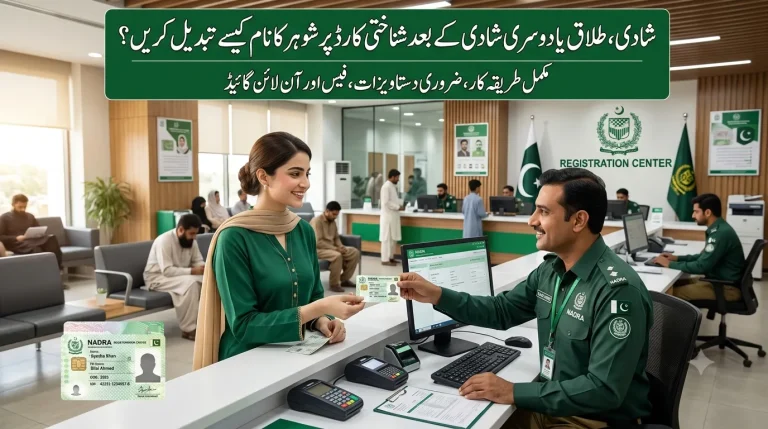
- Name after marriage — upload Nikah Nama; NADRA verifies against the union council record before updating
- Name correction (e.g., spelling mistake in father’s name) bring birth certificate or passport as support
- Marital status, divorce, date of birth correction sees document requirements table above
NADRA Family Tree — How to Check and Fix
Every CNIC holder has a Family Tree in the NADRA database that digitally links parents, spouse, and children through their CNIC numbers. It shows parents’ CNICs, spouse’s CNIC, children’s CNIC and B-Form numbers, and all registered addresses. Its importance extends to inheritance and property transfers, BISP and Ehsaas eligibility checks, court proceedings verifying family relationships, and fraud prevention against ghost beneficiaries.
How to Check Your Family Tree
- Visit a NADRA Registration Centre with your original CNIC and request a Family Registration Certificate (FRC) print
- Use the Pak-ID App NADRA is rolling out online family tree viewing
- Call the NADRA Helpline 0800-11786 to verify your family tree verbally
How to Fix Incorrect Family Tree Entries
- Visit NADRA Registration Centre with original CNIC
- Request the family tree printout and identify the incorrect entry
- Prepare an affidavit stating the linked person is not a family member
- Submit the affidavit plus CNIC and family tree correction application form
- NADRA investigates and removes incorrect entries within 15–30 working days
- File a police FIR if you suspect deliberate identity fraud
CNIC for Special Cases
Transgender Applicants
Pakistan legally recognizes a third gender under the Transgender Persons Protection of Rights Act 2018. NADRA issues CNICs with an X gender marker for transgender individuals who prefer not to identify as male or female. No medical certificate is required self-identification is accepted. All rights banking, SIM, property, voting apply equally, and NADRA offices are required to process applications without discrimination.
Disabled Persons
- Priority service counters at all NADRA Registration Centers
- Home visit facility for severely disabled persons call NADRA helpline 0800-11786 to arrange a scheduled home visit by a NADRA mobile team
- Alternative biometric procedures for those with missing fingers or damaged fingerprints (iris scan / facial recognition)
- CNIC can be marked with disability status for priority access to government schemes
Homeless or Displaced Persons
- Alternative address verification via a reference letter from a local Union Council
- NGO and social welfare referral letters accepted at select center’s
- NADRA mobile registration vans visit flood-affected and displaced communities
Senior Citizens (60 Years and Above)
- Priority counter service at all NADRA Registration Centers no waiting in the general queue
- Home visit facility available if mobility-impaired call 0800-11786
Standard CNIC fees apply in 2026 there is no fee waiver
NADRA CNIC Renewal for Overseas Pakistanis
Living abroad does not mean disconnecting from your Pakistani identity. NICOP renewal the National Identity Card for Overseas Pakistani serves a dual purpose: it is your Pakistani ID and a travel document granting visa-free entry into Pakistan. The card is printed in Pakistan and couriered to your foreign address; international delivery sometimes takes three weeks due to customs and shipping. The online procedure is identical to the web portal method the payment gateway accepts international cards.
- Required: passport copy, proof of foreign residency (visa / green card), expired NICOP if available
- Overseas users who cannot complete biometrics in person: use the Pak-ID App’s remote biometric feature fingerprint scanning via phone camera from abroad
- Alternative: visit the nearest Pakistani embassy or consulate where NADRA-equipped computers and biometric scanners are available
Common CNIC Problems and Solutions
| Problem | Solution |
| “CNIC number already registered” error on Pak-Identity | Use Forgot Password with your CNIC number and registered email. If you never created an account, call NADRA helpline 0800-11786 to report unauthorized account creation. |
| Name spelling mismatch between Urdu and English | Apply for modification at the same fee as renewal. Upload your Matric certificate as supporting proof — both English and Urdu names must match your documents. |
| Father’s CNIC not available (deceased parent) | Bring death certificate from Union Council or NADRA DEVC (Death Event Verification Certificate), which substitutes for the deceased parent’s CNIC. |
| Photo rejected during online application | Pure white background; face fully visible and centred; no sunglasses, no hat, no visible teeth; neutral expression; taken within last 6 months; min 300×300 px; max 5 MB; JPG or PNG; natural daylight. |
| Online payment failed or not confirmed | Check bank statement. If deducted, wait 24 hours for NADRA to reconcile. If still unconfirmed, call NADRA helpline with payment reference. Some Pakistani banks block NADRA’s payment gateway — switch to JazzCash. |
| CNIC shows wrong address | Apply for address modification with a recent utility bill (electricity, gas, or telephone) showing the new address. |
| Biometric verification not matching at NADRA | Visit a NADRA centre in person with original documents for alternate biometric procedures — iris scan and facial recognition — available for manual labourers, burn injuries, or elderly applicants. |
| CNIC dispatched but not delivered after 10 working days | SMS tracking number to 8300 to get the courier company name, then call the courier directly. If returned to NADRA, call helpline to arrange re-delivery or collection. |
| Minor turning 18 with lost B-Form | Get a Duplicate B-Form first — visit NADRA with parents’ CNICs and a family affidavit. Once obtained, proceed with the first-time CNIC application. |
| Pak-Identity login issues | Clear app cache, reinstall, or use the website. If account is locked, wait 30 minutes — multiple failed attempts trigger a temporary ban. |
| Document upload errors | Keep each image under 2 MB using an online compressor. If biometric verification fails, clean your phone screen and register the same finger multiple times. |
If the app itself keeps failing, work through our dedicated troubleshooting guide: Pak ID app not working fixes.
Tips to Avoid CNIC Renewal Problems
- Set a calendar reminder 6 months before expiry apply early to avoid processing queue backlogs
- Double-check every document before uploading scan at 300 DPI for clarity; a blurry utility bill causes rejection
- Enter information exactly as it appears on your old card unless you are correcting an error even a single alphabet difference triggers manual review
- Use stable internet a dropped connection mid-payment can charge your card without submitting the form; wait for the confirmation page before closing your browser
- Keep a digital folder on your phone named NADRA containing your photo, CNIC scan, and supporting documents for future renewals
- Ensure your phone has ample battery before starting the Pak-ID App process
- Read all Pak-ID App instructions carefully especially for biometric capture
- All images must be clear, well-lit, and in focus blurry images are the most common reason for application rejection
- Keep records of your application ID and payment receipts for future reference
NADRA Helpline & Support for CNIC Renewal
| Contact Method | Details | Best Use |
| Helpline (general) | 051-111-786-100 | All CNIC enquiries; press the CNIC services option immediately |
| Toll-free helpline | 0800-11786 | Free from any Pakistani network; Mon–Fri 9 AM–5 PM; 9–11 AM is least crowded |
| Email support | support@nadra.gov.pk | Written escalations — include tracking ID, CNIC number, problem description, and screenshots |
| Pak-Identity Portal | id.nadra.gov.pk | Online tracking and application management |
| SMS tracking | Send 23-digit tracking ID to 8300 | 24/7 automated status update |
An office visit becomes necessary when biometrics completely fail, or your photo has been rejected three times. Some executive center’s now offer walk-in slots for online applicants who cannot complete the digital step call ahead to confirm availability.
Final Thought
Your CNIC is not a document you renew when things break it is a living credential that quietly determines your access to banking, property, healthcare, government benefits, and the formal economy. The Pak-ID App and id.nadra.gov.pk have removed every logistical barrier that once made renewal feel impossible. Fifteen minutes, a smartphone, and the right documents are all it takes. The single most effective thing you can do for your financial and legal security in Pakistan is renew before you need to not after services begin failing you.


3 Comments