
How to Update NADRA Record from Abroad Online
If you’re one of the millions of overseas Pakistanis who have been putting off updating your NADRA identity records while living abroad, you’re not alone. The official Pak-Identity portal and its mobile app have made the process significantly easier corrections and updates to CNIC or NICOP records, including name changes, address updates, and marital status changes, can now be handled entirely online.
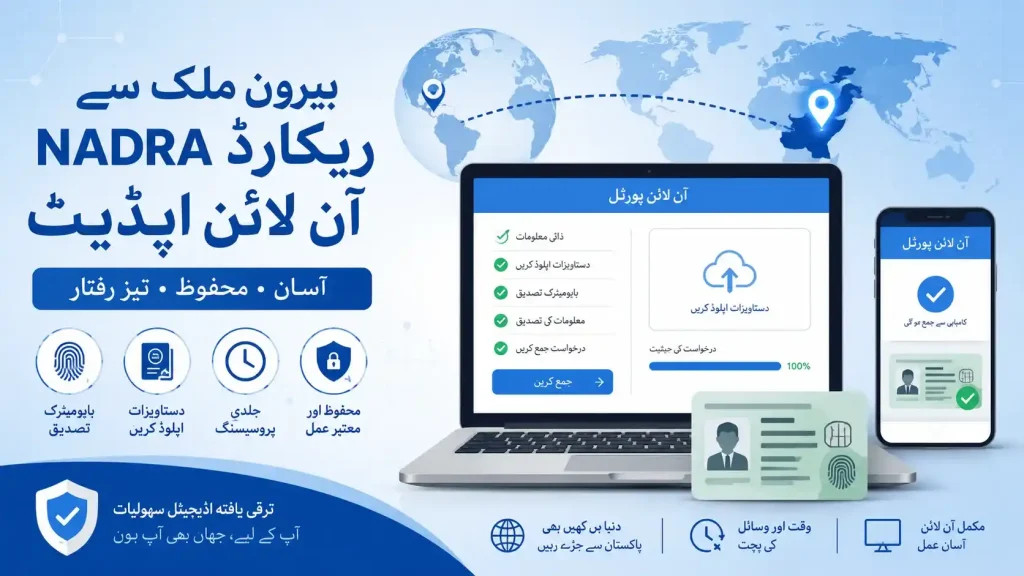
Applications are submitted digitally, verified through documents and biometrics, and processed directly by the National Database and Registration Authority (NADRA). The Pakistan Embassy Mission in KSA operates a full NADRA office offering NICOP, CNIC, CRC, FRC, and Biometric Verification of Succession Certificate services, but processing of NICOP is now handled exclusively online through id.nadra.gov.pk the consulate no longer processes these applications directly.
| Contact Channel | Details |
| Portal | https://id.nadra.gov.pk/ |
| Email (general queries) | info.pakid@nadra.gov.pk |
| Email (technical support) | support.pakid@nadra.gov.pk |
| Phone | 0092 51 111786100 |
What Does Updating a NADRA Record Mean?
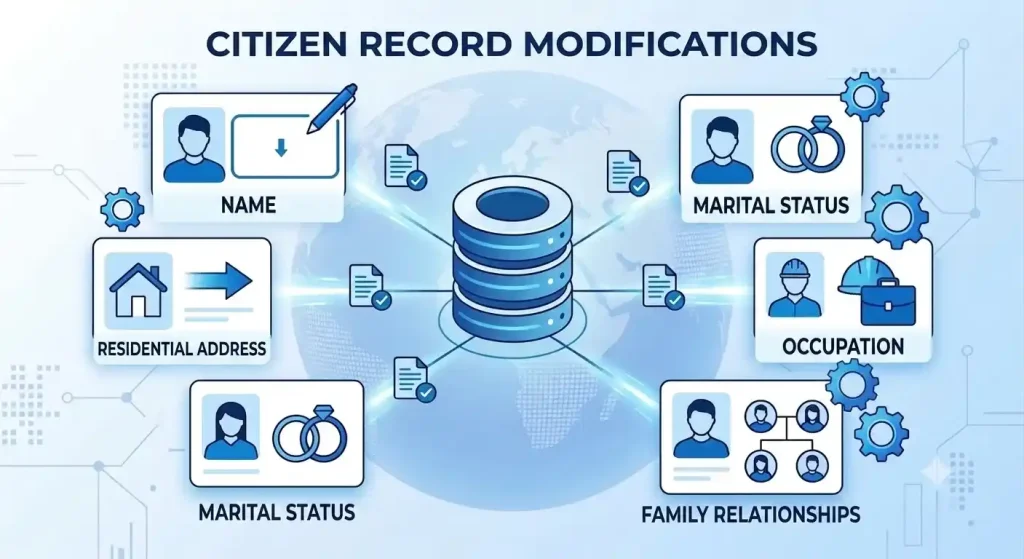
A NADRA record update is the process of correcting or modifying information tied to a citizen’s CNIC or NICOP identity profile. The most common requests include:
- Correction of spelling errors in the name
- Updating a residential address
- Recording a change in marital status
- Modifying profession information
- Updating family relationships in NADRA records
Once a request is approved, NADRA refreshes the official database and issues an updated identity document.
Legal Basis for Updating a NADRA Record from Abroad
NADRA operates under the National Database and Registration Authority Ordinance, 2000 the foundational law that authorizes it to maintain national identity records, verify citizen identity information, and process corrections and updates to identity documents across Pakistan. This same ordinance gave rise to the Pak-Identity platform, designed so overseas applicants never need to visit a physical NADRA registration center.
Who Can Update a NADRA Record from Abroad?
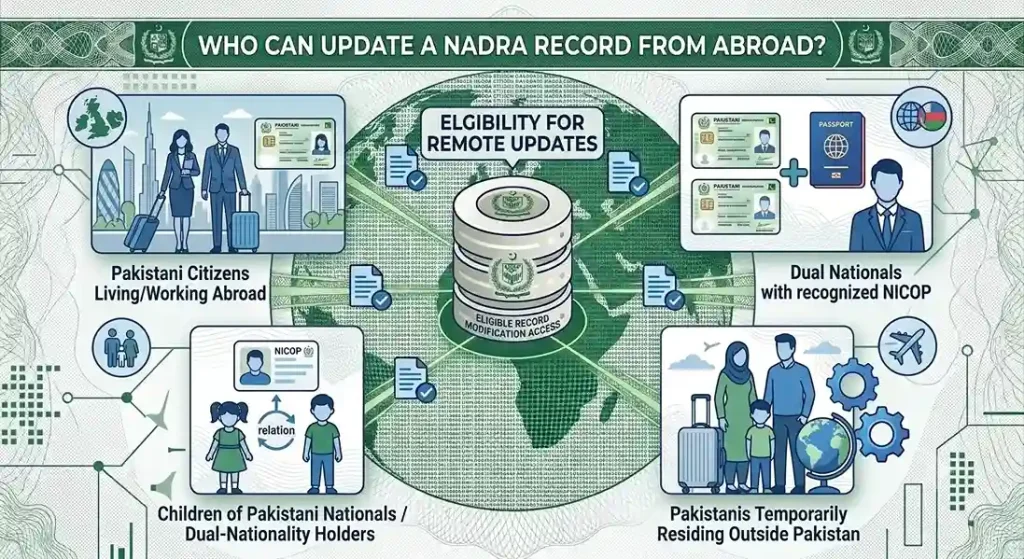
Overseas Pakistanis holding NICOP or CNIC records are eligible to request updates through the Pak-Identity portal, including:
- Pakistani citizens living or working abroad
- Dual nationals holding NICOP with dual nationality recognized by the Government of Pakistan
- Pakistanis temporarily residing outside Pakistan
- Children of Pakistani nationals or dual-nationality holders
Types of NADRA Record Updates Available Online
- Name Correction — spelling mistakes or legally supported official name changes
- Address Update — permanent or present address changes
- Marital Status Update — marriage, divorce, or widowhood
- Family Record Updates — modifying relationships within your Family Registration Certificate (FRC)
Mission NADRA Office Fee Structure (Zone A)
| Service | Normal | Urgent | Executive |
| Smart NICOP New | 75 | 110 | 150 |
| Smart NICOP Renewal | 75 | 110 | 150 |
| Smart NICOP Reprint | 75 | 110 | 150 |
| Smart NICOP Modification | 75 | 110 | 150 |
| FRC | — | — | 40 (Executive only) |
| S/NICOP Cancellation Due to Death | 20 | — | — |
Card Types
| Card Type | Details |
| Teslin-based NICOP | No longer issued for new applications |
| Smart NICOP | Secure microchips, enhanced security features, improved durability |
| NICOP with QR-code | Machine-readable QR-code for faster verification and authentication |
Documents Required for a NADRA Record Update
Required documents vary by update type, but at minimum prepare:
- Passport copy Pakistani or foreign
- Previous CNIC or NICOP copy
- Supporting legal documents relevant to your case
- Marriage certificate (for marital status updates)
- Proof of address (for address changes)
- Original Pakistani Passport, Old ID Card, Domicile Certificate, or Matriculation Certificate
- CNIC or NICOP of Father and Mother (updated after marriage), or of a real brother or sister
First-Time Applicants
- A detailed birth certificate clearly stating both father’s and mother’s names any birth certificate missing parent names will not be accepted
- Physical presence of a blood relative (Father, Mother, or Sibling) holding a valid NICOP or CNIC
- Where no blood relative exists, fingerprints of any Pakistani citizen holding a CNIC or NICOP as a witness, after which the case is forwarded to Pakistan for further verification
How to Update NADRA Record from Abroad (Step-by-Step)
1. Create a Pak-Identity Account — Register or sign in at id.nadra.gov.pk using your email address to access NADRA’s online services.
2. Select the Required Modification Service — Choose CNIC or NICOP modification — name correction, address update, marital status update, or family record update.
3. Complete the Online Application Form — Enter your updated personal information carefully, ensuring all details match your official records.
4. Upload Supporting Documents — Attach your passport, existing CNIC or NICOP, marriage certificate, proof of address, birth certificate, or other relevant evidence.
5. Complete Biometric Verification — Verify your identity using NADRA’s required method. Some cases require a visit to a designated NADRA Registration Centre.
6. Pay the Application Fee Online — Pay the applicable Normal, Urgent, or Executive fee through the Pak-Identity portal’s online payment methods.
7. Application Review and Verification — NADRA reviews your information, verifies documents, and may request additional evidence.
8. Approval of Your Application — Once verification checks are complete, your application is approved and your record updated in the NADRA database.
9. Receive Your Updated CNIC or Smart NICOP — Your updated document is processed and delivered according to your selected service type and delivery method.
NADRA Record Update Processing Time
| Processing Type | Maximum Time |
| Normal | 45 Days |
| Urgent | 30 Days |
| Executive | 12 Days |
All applications pass through NADRA verification officers before approval, and status can be tracked in real time through the Pak-Identity portal.
NADRA Record Update Fees & Payment Methods
- In-person (e-Khidmat Marakaz): cash only, collected directly at NADRA counters
- Online (Pak-Identity portal): fully supported for all online applications
- Accepted online methods may include international debit cards, credit cards, and online banking facilities, depending on your country of residence
- A digital payment receipt is generated automatically and linked to your application save it until your application is fully processed
How to Track Your NADRA Record Update Status Online
- Log in to your Pak-Identity account using your application credentials
- Navigate to your application dashboard to view current status verification, document review, biometric confirmation, approval, or dispatch
- Respond promptly to any notification requesting additional documents or verification
Common Problems During NADRA Record Updates
- Biometric verification failure
- Online payment transaction unsuccessful
- Application remains under verification for an extended period
- Supporting documents rejected due to poor quality
- Incorrect personal information entered during application
- Family relationship mismatch in NADRA database
- Email verification or OTP not received
- Passport or identity documents require additional verification
Common Reasons Why NADRA Record Update Applications Get Rejected
- Uploaded documents are unclear, cropped, or of poor quality
- Information entered does not match existing NADRA records
- Expired Pakistani or foreign passport submitted as supporting evidence
- Missing legal documents for name change, marriage, divorce, or family record updates
- Biometric verification cannot be completed successfully
- Incorrect relationship details in the Family Registration Certificate (FRC)
- Invalid or unsupported proof of address
- Failure to provide additional documents requested during verification
e-Khidmat Marakaz Service Information
| Detail | Timing |
| Centre Timings | 9:00 AM – 5:00 PM |
| Service Timing | Monday–Saturday, 9:00 AM – 4:00 PM |
| Lunch & Prayer Break | 1:00 PM – 2:00 PM |
| Jummah Break (Friday) | 12:30 PM – 2:30 PM |
All NICOP documents are officially issued by NADRA.
Benefits of Updating Your NADRA Record from Abroad
- Updated CNIC and NICOP information across all government records
- Easier passport renewal and visa processing
- Accurate Family Registration Certificate (FRC)
- Faster banking and financial verification
- Simplified inheritance and succession documentation
- Improved identity verification for overseas employment
- Smooth processing of immigration and embassy services
- Eligibility for government services requiring verified identity information
- Visa-free travel to Pakistan for eligible Smart NICOP holders
About NADRA
NADRA operates one of the largest centralized databases in the world, powered by its National Data Warehouse running Transaction Processing, Business Intelligence, and Decision Support applications built to international standards.
| Metric | Figure |
| Citizens registered | 96 million+ |
| CNICs printed | 95 million+ |
| Technical & management staff | 11,000+ |
| Multi-biometric Interactive Registration Centers | 365 |
| Mobile registration vans | 189 |
| Recognition | Top 50 Suppliers of e-Passport Technology (4 consecutive years, ID World) |
Important Notes for Overseas Applicants
- All applications must go through the official Pak-Identity system no shortcuts
- Your information must align precisely with your official identity records; mismatches cause delays
- Incorrect documentation is the single biggest reason for delayed processing
- Complex changes require additional verification, and NADRA may request further documents at any point
- Biometric verification and a current photograph may still require a physical visit to a NADRA Registration Centre in certain situations
Conclusion
Updating your NADRA record from abroad no longer requires a trip to Pakistan or a visit to your local consulate. Through the Pak-Identity portal and its mobile app, overseas Pakistanis can submit name corrections, address updates, marital status changes, and family record updates entirely online from application and document upload through biometric verification and payment.
The key to a smooth update is preparation: gather the correct documents upfront, ensure every detail matches your existing NADRA records, and choose a processing tier (Normal, Urgent, or Executive) that fits your timeline. Doing so helps you avoid the most common causes of delay or rejection and keeps your CNIC or NICOP accurate for banking, inheritance, travel, and embassy services.

2 Comments