
What Does NICOP Application Pending Mean?
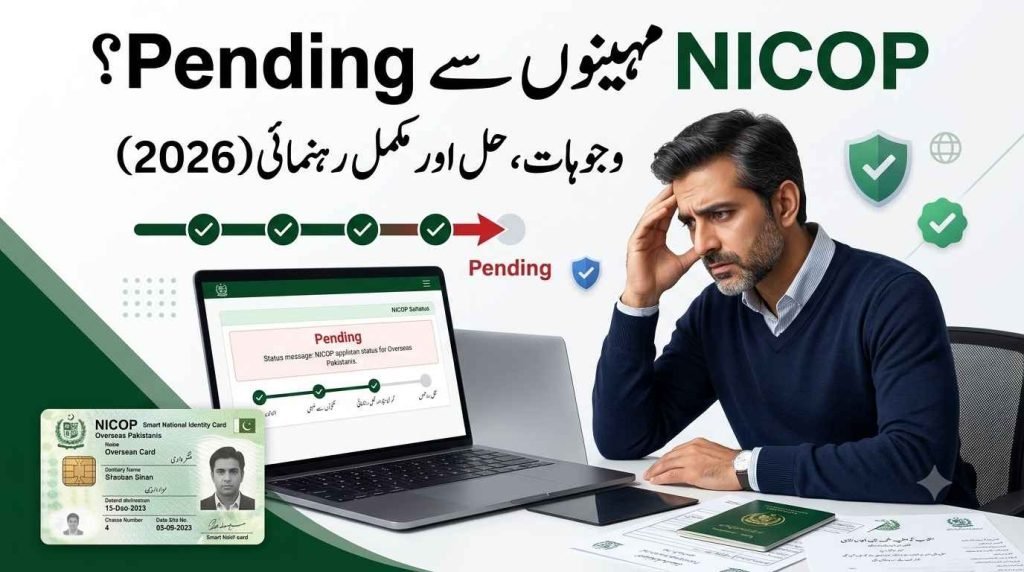
If your NICOP status is still showing “Pending,” don’t worry, this is usually a normal part of the application process. In most cases, the delay is caused by document verification, record checks, or high application volumes at NADRA. A pending status does not automatically mean there is a problem with your application. Unless your application has been pending significantly longer than the normal processing time, you should continue monitoring the status and wait for the verification process to be completed.
How to Fix Long NADRA Pending Times (Step-by-Step Guide)
POC is issued by NADRA to foreign nationals who once held Pakistani citizenship but later gave it up to f your NADRA application has been pending for weeks or even months, follow these steps to identify the problem and help move your application forward.
Step 1: Log in to Your Pak ID Account
Sign in to your Pak ID account and open your application dashboard. Check whether NADRA has requested any additional documents, corrections, or verification updates.
Step 2: Review Your Submitted Documents
Carefully inspect all uploaded documents for missing pages, blurry scans, expired documents, or incorrect information. Even a small mistake can delay the verification process.
Step 3: Check for Family Record Mismatches
If your application is stuck during verification, review your family registration details. Mismatched parent, spouse, or child records are one of the most common reasons for long pending statuses.
Step 4: Avoid Submitting a New Application
Do not submit another application simply because your current one is pending. Multiple applications rarely speed up processing and may create additional verification delays. If the problem began at the payment step, follow our guide on what to do when a Pak ID payment failed before you pay again.
Step 5: Contact NADRA Support
Reach out to NADRA customer support and ask them:
- What stage your application is currently in.
- Whether any documents or information are missing.
- What specific action is required to complete verification.
Step 6: Complete Any Requested Verification Promptly
If NADRA asks for additional documents or identity verification, submit the requested information as soon as possible. Responding quickly helps prevent further delays.
Step 7: Monitor Your Application Status
Continue checking your Pak ID account regularly for updates. Once all verification requirements are completed, your application usually progresses without additional document checks.
Step 8: Wait for Final Approval
After successful verification, your application moves toward approval, printing, and delivery. Once issued, your NADRA card can be used for travel, banking, and other overseas identity-related services.
Why Is My NICOP Application Still Pending?
A lot of people panic the moment they check their NICOP application status and see the word “pending” staring back at them. I’ve seen this reaction so many times that I want to clear it up right away: a pending NICOP is not a red flag. It simply means your file hasn’t reached a final decision yet, and it’s sitting somewhere in the middle of the process. Most applications go through this exact decision stage before they’re either approved or rejected, so if yours says pending, you’re actually in a completely normal stage of the journey, not stuck in some kind of trouble.
Behind the scenes, NADRA is actively processing your processing request through several checkpoints. Your file goes under review for identity verification, which is just NADRA confirming you are who you say you are. Alongside that, there’s document checking, where every paper you submitted gets a proper review, and background processing, which involves verification of your history and records. None of this happens automatically in seconds; real people and systems are working through document checking and background checks one case at a time. In most cases, your file will simply remain in verification queues because of workload at NADRA’s end, not because anything went wrong with your submission. So before you assume the worst, queues are usually just a sign of volume, not a problem.
What Affects the Waiting Period for Your NICOP
The truth is, NICOP processing time isn’t the same for everyone, and it mostly depends on the category you selected when you applied. I always tell people to check this first, because normal applications and executive applications move through completely different lanes. Executive is built to be faster, while normal tends to take longer, and that longer wait usually comes down to workload on NADRA’s side rather than anything about your specific file. On average, you’re looking at a few weeks for things to move, though I’ve personally seen cases where it can extend well into months if the timing isn’t on your side.
A few things tend to cause delays, and they show up more often than you’d expect. Document verification is one of the biggest ones, since every document needs proper verification before anything moves forward. If you applied from outside Pakistan, overseas coordination between offices adds extra requirements that simply take time to sort out. Timing matters too, because peak seasons with high application volume can increase your wait significantly, and I’ve noticed this pattern repeat every single year. So when users experience longer waiting periods than what they expected, it’s rarely random, it usually traces back to one of these factors I just walked through.
Common Reasons for NICOP Application Delays
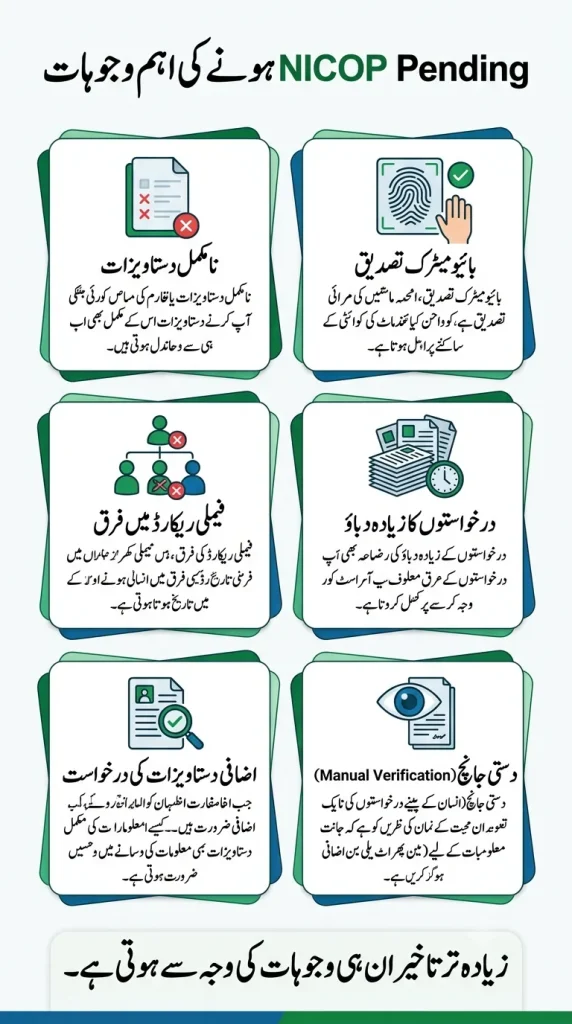
- Incomplete or Missing Documents – Applications with missing supporting documents are often placed on hold until the required information is provided.
- Blurry or Incorrect Uploaded Files – Low-quality scans, unreadable images, or incorrect document uploads can trigger manual verification and slow down processing.
- Identity Verification Delays – If NADRA needs additional identity verification, your application may remain pending until the review is completed.
- Biometric Verification Issues – Problems with fingerprint or biometric matching can require manual checks, extending the processing time.
- Family Record Mismatches – Differences between your application details and existing NADRA family records may lead to additional verification.
- High Volume of NICOP Applications – During peak application periods, increased workloads can result in longer processing times for all applicants.
- Security and Background Checks – Every NICOP application undergoes routine security screening, which may take longer in certain cases.
- Manual Review by NADRA Officials – Applications flagged by the system for inconsistencies or missing information are reviewed manually, which takes more time than automated processing. Incorrect Personal Information – Errors in names, dates of birth, addresses, or other personal details can delay approval until the information is verified.
- Additional Verification Requests – If NADRA requires further documents or clarification after submission, processing will remain pending until the requested information is received and reviewed.
How to Check NICOP Application Status Online
You can check your NICOP application status online through the Pak ID App or the NADRA online portal. Simply log in with your account and open your application to view its current status.
Don’t just look for whether it says “Pending” or “Completed.” Also check for any document requests, information requests, or notifications from NADRA. If additional information is required and you don’t respond, your application may remain pending until the issue is resolved.
Checking your application regularly helps you track progress, identify delays early, and take action if NADRA requires anything from you.
Review Your Submitted Documents Carefully
If your NICOP application has been pending for a long time, check whether NADRA has requested additional documents or information. During the verification process, NADRA may ask for clearer photos, missing documents, or clarification about your application.
These requests are usually sent to your registered email, displayed on your NADRA application dashboard, or available in the Pak ID App. Check your inbox regularly, including the spam folder, and log in to your account every few days to avoid missing important updates.
Responding to document requests as quickly as possible can prevent unnecessary delays and help your NICOP application move forward faster.
Contact NADRA About a Pending NICOP Application
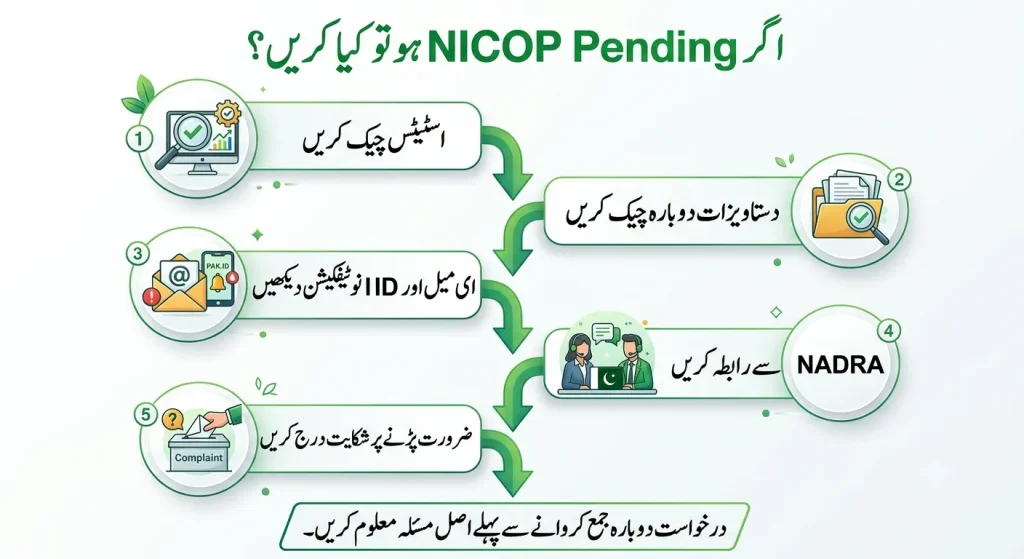
If your NICOP application remains pending beyond the normal processing time, contact NADRA immediately instead of waiting. Keep your application tracking number and personal details ready, as the support team will need them to review your case. Reaching out early can help identify delays and prevent unnecessary waiting.
Once your request is submitted, NADRA will review your application, explain the reason for the pending status, and let you know if any additional documents or action are required. Directly contacting NADRA support often provides clearer updates than the online tracking system and helps ensure your NICOP application moves forward as quickly as possible.
Filing a Formal Request When Your Case Needs Extra Attention
If your issue stays not resolved even after going through normal support, the next move is to escalate the matter directly with NADRA. I’ve seen many overseas applicants wait quietly for weeks before realizing that an official complaint is actually the right step, not a last resort. Once you decide to take this formal way of reaching out, your application moves into a queue meant for further investigation, which usually gets a different kind of attention compared to a routine inquiry.
When you submit your request, correct details matter more than people expect. Always mention your application number, the date of submission, and a short issue description so the review team understands your case at a glance. Providing clear information instead of a vague summary genuinely improves your chances of a faster resolution — I’ve noticed cases with proper details move through investigation much quicker than ones missing basic information. This kind of escalation isn’t meant for every small delay, though; it’s best used when delays become unnecessary delays and necessary only when normal channels haven’t worked. Use it when your case truly needs a priority review, not as a routine habit.
| What to Include | Why It Helps |
|---|---|
| Application Number | Lets NADRA locate your file instantly. |
| Submission Date | Confirms how long your NICOP application has been pending. |
| Issue Description | Gives the support team enough context without unnecessary back-and-forth. |
| Clear & Correct Details | Helps NADRA resolve your issue faster and reduces f |
When You Need to Show Up in Person
- Get a Queue Matic token at the queue management counter
- Staff member completes data entry from your documents
- Accuracy review across all fields
- Document review and identity verification
- OIC (Officer-In-Charge) interview and approval
- Biometric capture fingerprints and live photograph
- Application/POCF attestation (requirements vary depending on whether you hold a CNIC, NICOP, or existing POC)
- Fee payment
- Card printing and issuance
Tips to Avoid NICOP Delays in Future
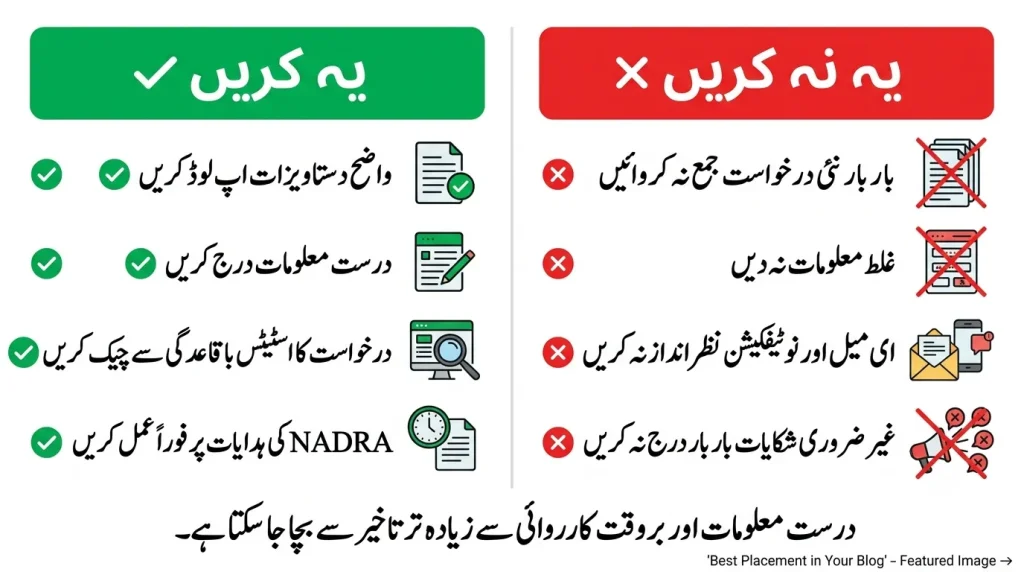
Double-check all personal details before submitting your NICOP application to avoid manual verification. Ensure names, addresses, and dates match across all supporting documents. Upload high-quality photos and biometric data with proper lighting and clear scans. Submit valid and correctly formatted documents to prevent rejection. Respond to NADRA requests immediately if additional documents or clarification are required. Track your NICOP application status regularly instead of waiting for updates. Keep your contact information up to date so you don’t miss important notifications from NADRA. Review your application carefully before final submission to eliminate common mistakes. Monitor your application every few days to identify and resolve issues early. Follow NADRA’s document and photo guidelines to reduce the risk of processing delays.
g access, and other valuable benefits in Pakistan. Before applying, make sure you meet the eligibility criteria, gather the required documents, and submit accurate information through the Pak-ID portal, mobile app, or a NADRA Registration Centre. Following the official requirements and keeping your records up to date will help ensure a smooth application process and avoid unnecessary delays.



2 Comments