
NICOP Apply from UK – Step by Step 2026
If you live in the United Kingdom and need your first NICOP, you do not have to fly to Pakistan to get it. A NICOP apply from UK application can be completed in two official ways: online through NADRA’s Pak ID service, or in person at a Pakistani mission in London, Manchester, Birmingham or Bradford. The card you receive, the Smart NICOP, is the identity document that proves your Pakistani identity in the UK and lets you enter Pakistan without a visa.

This guide covers a new NICOP application from the UK only: who can apply, the exact online and in person steps, the documents a first time applicant in the UK must prepare, the fee in pounds at the mission counters and the Zone A fee online, realistic delivery times, and how to track the card to your UK address. For the broader background on what the card is and how it compares with CNIC and POC, read our complete NICOP Pakistan guide. If your existing card is expiring instead, that is a renewal, and it follows a different route.
What a New NICOP Application from the UK Means
A new application means NADRA issues you a Smart NICOP as your current identity card for living abroad. It is different from a NICOP renewal, which extends an existing card, and different from a modification, which changes details on a card you already hold. UK applicants sometimes hold an old Pakistani CNIC from before they moved. That record still helps, because NADRA builds the new card on your existing family record, but the application itself is made from the UK and the finished card carries your overseas status.
One point decides which route you read below. If you are comfortable applying on a phone or computer, the Pak ID online route covers the whole process from your home in the UK. If your case is a first ever identity record, or your family record needs a relative present for verification, the mission route described later may be the safer choice, because the counter staff capture your biometrics and check your documents on the spot.
Who Can Apply for NICOP from the UK?
The Pakistan High Commission London describes the Smart NICOP as the card for a Pakistani citizen living abroad or a dual nationality holder, and children of Pakistani nationals or dual nationality holders are eligible as well. In UK terms, that means:
- Pakistani citizens who live in the UK for work, study, family or settlement.
- British Pakistanis who hold dual nationality of Pakistan and the United Kingdom.
- Children born in the UK to a Pakistani national or a dual nationality holder.
- Pakistani citizens whose old CNIC record exists but who have never held a NICOP.
If you have formally surrendered your Pakistani nationality, NICOP is not the card for you. The card designed for people of Pakistani origin who no longer hold Pakistani citizenship is the POC, explained in our Pakistan Origin Card guide. Everyone else in the list above applies for NICOP through one of the two routes below.
Two Ways to Apply for NICOP from the UK
Both routes are official, both end with NADRA delivering the card, and both charge a fee set by the route you choose. The honest differences are where your biometrics are taken, which currency you pay in, and how much help you get with a complicated family record.
| Point | Pak ID Online | Pakistani Mission in the UK |
| Where you apply | At home, on the Pak ID website or mobile app | At the NADRA counter in London, Manchester, Birmingham or Bradford |
| Appointment | Not needed | Mandatory, booked online in advance; walk-ins are not served |
| Biometrics and photo | Completed through the app process, or at a mission if NADRA directs you there | Captured live at the counter by trained staff |
| Fee | Zone A fee in US dollars, paid by debit or credit card | Fee in pounds, paid at the counter, delivery charge included |
| Best for | Straightforward cases with documents ready to upload | First ever identity records and cases needing a relative present |

How to Apply for NICOP Online from the UK Through Pak ID
Step 1: Create Your Pak ID Account
Open the official Pak ID website at id.nadra.gov.pk or the Pak ID mobile app and register an account with your email address and mobile number. Every later message about your application, including the Fee Submission notification and status updates, comes to this account, so use an email you check regularly.
Step 2: Start a New NICOP Application
Sign in and choose the NICOP service, then select the new application category. Take care at this screen: renewal, modification and duplicate are separate categories with separate rules, and choosing the wrong one is a common cause of delay for UK applicants who already hold an old card.
Step 3: Fill In Your Personal and Family Details
Complete the form with your personal details, your UK address as your present address, and your family details. NADRA links your record to your family tree, so enter the 13 digit CNIC or NICOP number of your father, mother or another close family member exactly as it appears on their card. Names must match your passport and your family record; a spelling difference between the two is one of the most common reasons an application slows down.
Step 4: Add Your Photograph and Upload Documents
Capture or upload your photograph following the on screen instructions, then upload clear scans of your supporting documents: your valid Pakistani passport or valid British passport, and the documents listed in the documents section below that apply to your case. Blurry or cut off scans are rejected, so check each file before moving on.
Step 5: Pay the Zone A Fee
Pay the fee online by debit or credit card. The UK sits in NADRA’s Zone A, and the online fee for a NICOP application from Zone A is charged in US dollars at the rates in the fee section below. The exact amount is shown on the payment screen before you confirm, so check it there before paying. Keep the payment reference with your application details.
Step 6: Complete Biometrics as Directed
Follow the biometric step exactly as the system presents it. Some applicants complete fingerprint verification inside the app process. If NADRA directs you to attend in person for biometrics, that short visit is made at a Pakistani mission in the UK, and the appointment rules in the next section apply to it.
Step 7: Submit and Save Your Tracking ID
Review the whole application once more, submit it, and save the Tracking ID you are given. That single number is how you follow the application inside your Pak ID account and how any support query about the application is answered.
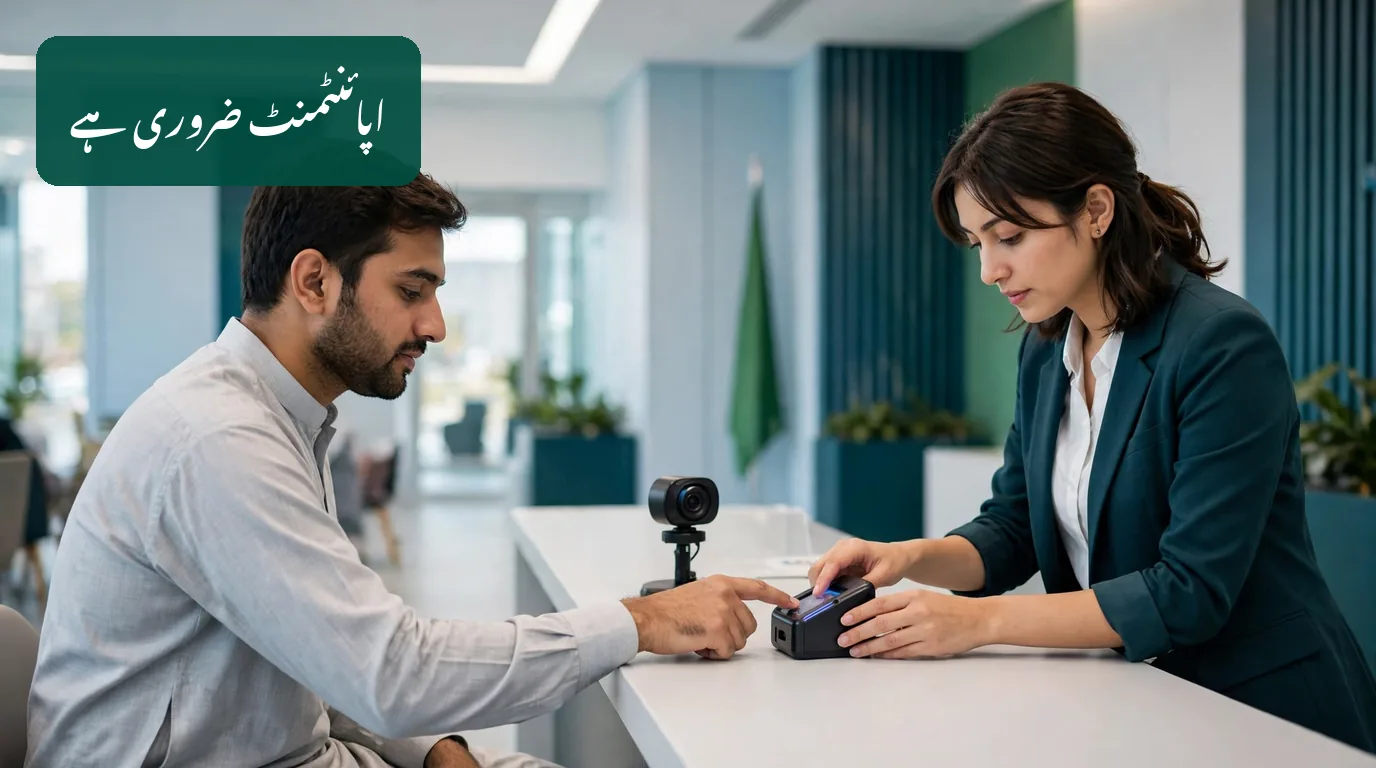
How to Apply in Person at a Pakistani Mission in the UK
NADRA counters operate at the Pakistan High Commission London and at the consulates in Manchester, Birmingham and Bradford. All four work on appointments only. The High Commission states plainly that NADRA staff cannot serve walk-in applicants, so travelling to a mission without a booking wastes the trip.
Step 1: Book Your Appointment Online
Book through the missions’ online Appointment Management System. You will need your full name, your date of birth, your NICOP number, expired identity card number or passport number, a UK mobile number, and an email address for the confirmation. Only one applicant is served per appointment, so every family member, including each child, needs a separate booking; consecutive appointments can be booked for a family. Arrive about 15 minutes before your time with your documents and photocopies ready.
Step 2: Attend With Your Documents
Attend in person, because your live photograph and biometrics are part of the process. Carry the original of every document in the documents section below, plus a photocopy of each, since the missions ask for originals and photocopies together.
Step 3: Biometrics, Photograph and Fee at the Counter
Trained staff capture your photograph and fingerprints, check your form and documents, and take the fee at the counter. If something in your family record needs a relative’s presence, this is the visit at which that relative attends with you, as explained in the documents section.
Step 4: The Card Is Delivered to Your UK Address
After processing, NADRA delivers the card to the present address on your application form, and the mission fee already includes the delivery charge. You do not return to the mission to collect it.
For Pakistanis who live far from the four mission cities, NADRA also runs Mobile Registration Team visits, which bring the service to other areas and are particularly helpful for elderly and disabled applicants. Applications taken on these visits carry an additional GBP 10 charge and take longer, around six to eight weeks, so treat an MRT visit as a convenience option rather than the fastest one.
Documents Required for a First NICOP in the UK
The mission requirements for a first Smart NICOP are stricter than most applicants expect, and almost every item below comes directly from the High Commission’s published requirements. Prepare all of them before you book or apply:
- Detailed birth certificate: first time applicants must provide a detailed birth certificate that mentions the father’s and mother’s names. A birth certificate without the parents’ names will not be accepted, so a short certificate that omits them is not enough.
- One base identity document: any one of your original Pakistani passport, old ID card, domicile certificate, or matriculation certificate issued from Pakistan.
- A valid passport: a valid Pakistani passport or a valid foreign passport, for a dual national the British passport.
- Family link documents: the CNIC or NICOP of your father and mother, updated after marriage, or of a real brother or sister. The 13 digit number of a parent, or of an adult brother, sister, son or daughter, is used as the reference that creates your family link.
- Originals and photocopies of every supporting document.
The Blood Relative Rule for First Time Applicants
For a first time application at a mission, the physical presence of a blood relative is required: your father, mother, or a real brother or sister who holds a NICOP or CNIC attends with you. If you genuinely have no blood relative holding a computerised 13 digit CNIC or NICOP, the mission can capture the fingerprints of any Pakistani citizen who holds a CNIC or NICOP as a witness instead, and the case may then be forwarded to Pakistan for further verification, which adds time.
Your Parents’ and Spouse’s Cards Must Be Valid
One rule surprises many UK families. To process any type of NADRA card, the NADRA cards of your parents and your spouse should be valid. If a parent’s or spouse’s card has expired, that card is renewed first; our NICOP renewal online guide covers that process. If a parent or spouse has died, their card is cancelled first, and a death certificate is mandatory for that cancellation. Sorting the family cards before your own appointment prevents your application being paused at the counter.

NICOP Fee from the UK 2026
At a UK mission counter you pay in pounds, and the published High Commission fee for a new Smart NICOP already includes a GBP 2 bank surcharge and the GBP 14 delivery charge, per application:
| Application Type (Mission Counter) | Fee | Estimated Delivery Time |
| New Smart NICOP (Normal) | GBP 51.50 | About 6 weeks |
| New Smart NICOP (Urgent) | GBP 64.50 | About 4 weeks |
| New Smart NICOP (Executive) | GBP 79.50 | About 2 weeks |
Consulate pages do not all print the identical total. The Birmingham consulate, for example, publishes GBP 55.50, GBP 68.50 and GBP 83.50 for the same three categories, presenting its figures with home delivery and a GBP 3.50 bank charge included. The NADRA fee itself is the same; the small difference sits in how each mission presents its charges. Confirm the exact amount payable when you book your appointment, and treat any website or agent quoting a far higher total with suspicion, because no agent can charge you NADRA’s fee plus a private markup on the official routes.
Online through Pak ID you pay in US dollars at NADRA’s Zone A rate for NICOP applications, the zone that covers the UK:
| Processing (Pak ID Online, Zone A) | Fee | Processing Time |
| Normal | USD 39 | 31 days |
| Urgent | USD 57 | 23 days |
| Executive | USD 75 | 9 days |
NICOP Processing Time from the UK
Read the times above the right way. The mission figures are delivery estimates for the whole process, and the High Commission itself labels them as estimates; the online figures are NADRA’s processing times for Zone A, after which delivery to your UK address follows. A Normal mission application therefore takes around six weeks in total, Urgent around four weeks, and Executive around two weeks, while form based and Mobile Registration Team applications take roughly six to eight weeks. Choose Executive only when a real deadline, such as booked travel to Pakistan, justifies the higher fee; for most families applying early, Normal is enough.
How to Track Your NICOP Application from the UK
However you applied, keep your Tracking ID safe. Online applicants follow the application inside their Pak ID account, where the status moves through submission, processing and dispatch, and NADRA also sends notifications at stages such as Fee Submission. Our NADRA Tracking ID guide explains what each status means. Mission applicants should keep the receipt and application reference from the counter for the same reason.
If the status stops moving for a long period, work through our guide on what to do when a NICOP application is pending before paying anyone for help. For online application queries, NADRA publishes its helpline 051-111-786-100 and its online complaint system, and the High Commission call centre answers on 020 7664 9200 from Monday to Friday, 09:30 to 17:30.
Common NICOP Application Problems in the UK and Solutions
| Problem | Why It Happens | What to Do |
| Turned away at the mission | All four UK missions serve appointment holders only | Book through the online Appointment Management System and arrive 15 minutes early |
| Birth certificate refused | The certificate does not name both parents, which first time applications require | Obtain the detailed birth certificate that mentions the father’s and mother’s names |
| Application paused over a parent’s card | Parents’ and spouse’s NADRA cards must be valid before any card is processed | Renew the expired card first, or complete the cancellation with a death certificate if the holder has died |
| No relative can attend | First time mission applications need a blood relative holding NICOP or CNIC present | Ask the mission about the witness route, where a Pakistani citizen card holder gives fingerprints as a witness |
| Name spelled differently on passport and record | NADRA matches the application against your family record | Use the exact spelling of your existing record everywhere, and correct the record itself if it is the one that is wrong |
| Quoted far more than the official fee | Private agents in the UK add their own admin charges on top of NADRA’s fee | Apply through Pak ID or a mission directly; the official fees are the tables in this guide |
Common Mistakes to Avoid When Applying from the UK
Paying an Agent for an Official Process
UK based agents openly charge an admin fee on top of the NADRA fee for filling the same application you can submit yourself on Pak ID. Paying more does not make NADRA process the card faster, and handing your passport copies and personal details to an unknown business carries its own risk. Use the official portal, the official missions, and the official helplines listed in this guide, and never share an OTP or card PIN with anyone who offers to apply for you.
Booking One Appointment for the Whole Family
Each applicant, adult or child, needs a separate appointment at a UK mission. Families who book a single slot are served for one person only. Book consecutive appointments for everyone applying on the same day.
Choosing the Wrong Application Category Online
On Pak ID, new, renewal, modification and duplicate are different applications. A UK applicant who holds an old CNIC and actually needs a first NICOP should follow the new application flow in this guide, while someone whose NICOP is expiring needs renewal, not a new application.
Forgetting Originals, Photocopies or the Relative
Mission appointments run on documents. Arriving without the original documents, without photocopies, or, for a first time case, without the blood relative whose card creates your family link, means the appointment cannot complete and must be booked again.
NICOP from UK Checklist Before You Apply
- Decide your route: Pak ID online, or a mission counter in London, Manchester, Birmingham or Bradford.
- Detailed birth certificate naming your father and mother, for a first time application.
- One base document: original Pakistani passport, old ID card, domicile certificate or matriculation certificate.
- A valid Pakistani or British passport.
- Parents’ and spouse’s NADRA cards checked and valid, with renewals or cancellations sorted first.
- Blood relative arranged to attend, for a first time mission application.
- Originals plus one photocopy of every document.
- Separate appointment booked for every applicant, if applying in person.
- Fee ready: pounds at a mission counter, or a debit or credit card for the Zone A dollar fee online.
- Tracking ID and payment reference saved somewhere safe after applying.
Final Words
A NICOP apply from UK application is straightforward once the preparation is right. Choose the online route for a simple case, or the mission route when your first ever record needs a relative beside you. Prepare the detailed birth certificate and the family cards before anything else, book one appointment per person if you are attending in person, and pay only the official fee for the route you chose. Do that, and the card that keeps your Pakistani identity active in the UK should reach your address without drama.
Official Sources
- Pak ID / Pak Identity, NADRA (online applications and complaint system)
- NADRA services, Pakistan High Commission London (appointments, process and Smart NICOP fees)
- NADRA cards fees and processing time, Pakistan High Commission London
- Requirements for Smart National Identity Card (SNICOP), Pakistan High Commission London
- Pakistan ID Card, NICOP and POC, Consulate of Pakistan Birmingham

One Comment