Lost CNIC in Pakistan — How to Apply for a Duplicate CNIC
Losing your CNIC can be stressful because the card is used for identity verification across many everyday services in Pakistan. Fortunately, you do not normally need to register for a completely new identity record when your CNIC is lost. NADRA provides a Reprint/Lost service for existing identity cards, including applications through its PakID platform.
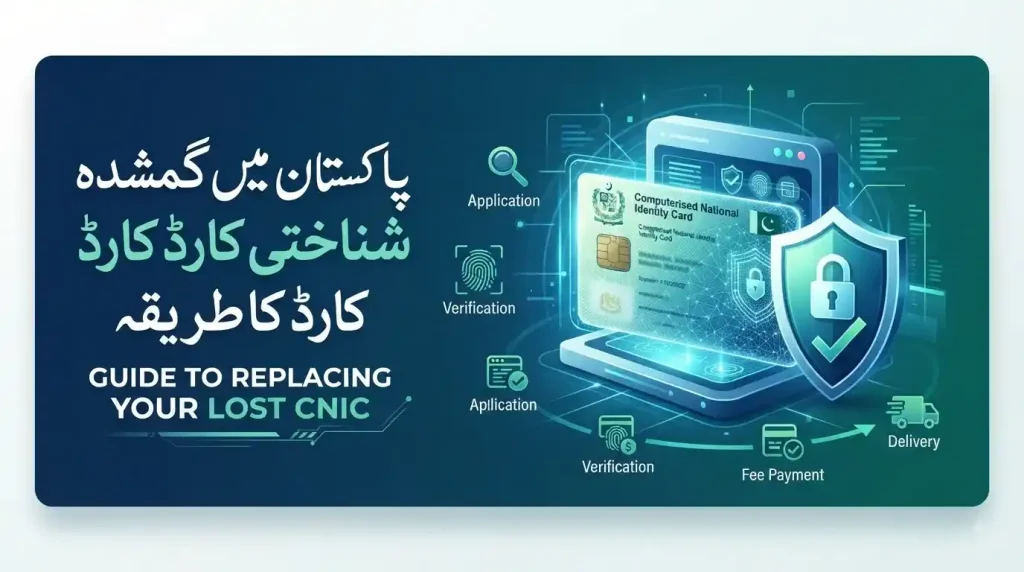
If your CNIC has been lost, stolen, or damaged, you can apply for a replacement through the National Database and Registration Authority (NADRA). Depending on your circumstances and the available service, you can use the PakID mobile app or visit a NADRA Registration Centre (NRC).
This guide explains the lost CNIC replacement procedure in Pakistan, including the current duplicate CNIC fee, required documents, online application process, NADRA tracking, FIR considerations, SIM security, and frequently asked questions.
What Is a CNIC?
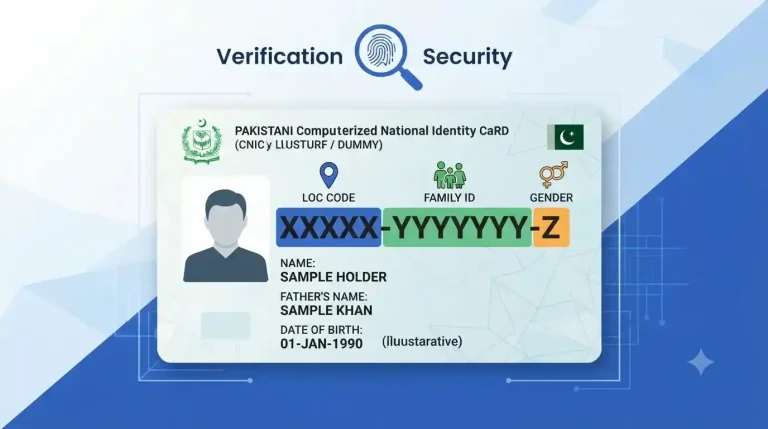
A CNIC (Computerised National Identity Card) is Pakistan’s official identity document for adult citizens. NADRA issues CNICs and maintains the national identity database used to establish and verify a citizen’s identity, nationality, and legal status.
Your CNIC contains your unique identity number and personal information used for identity verification. When an existing CNIC is lost, NADRA’s Reprint/Lost service allows the cardholder to request another physical card rather than applying for a first-time CNIC.
Is a Duplicate CNIC the Same as a New CNIC?
No. A duplicate or reprinted CNIC is issued against your existing NADRA identity record. You are not creating a second identity number simply because the physical card has been lost.
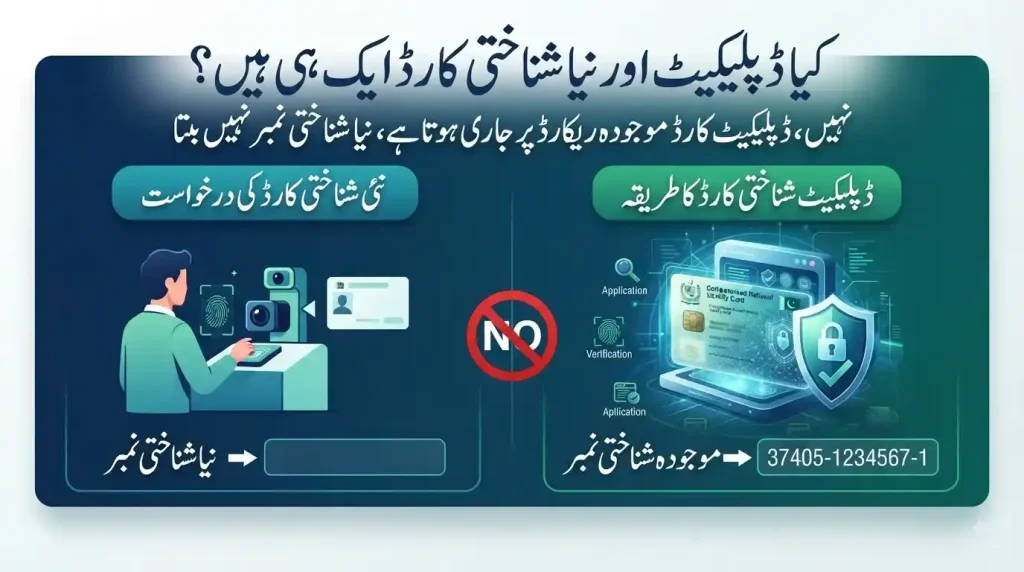
This distinction is important because NADRA also has procedures for clearing cases involving multiple identity records. A normal lost-card reprint should not be confused with creating or maintaining multiple CNIC records.
What Should You Do If You Lose Your CNIC?
If your CNIC is lost, take these steps:
- Apply for a CNIC reprint/lost card through NADRA.
- Keep your existing CNIC number available if you know it.
- Use only official NADRA channels for the application.
- Check the current fee before making payment.
- Keep your application tracking ID after submission.
- Consider checking the SIMs registered against your CNIC.
- If the card was stolen or you are concerned about misuse, consider making a police report for your records.
NADRA specifically lists Reprint/Lost as a service for existing CNIC holders.
How to Apply for a Duplicate CNIC in Pakistan
There are two main ways to start the process:
- Online through PakID
- In person at a NADRA Registration Centre
The best option depends on your circumstances, identity verification requirements, and the service available for your particular application.
How to Apply for Duplicate CNIC Online Through PakID
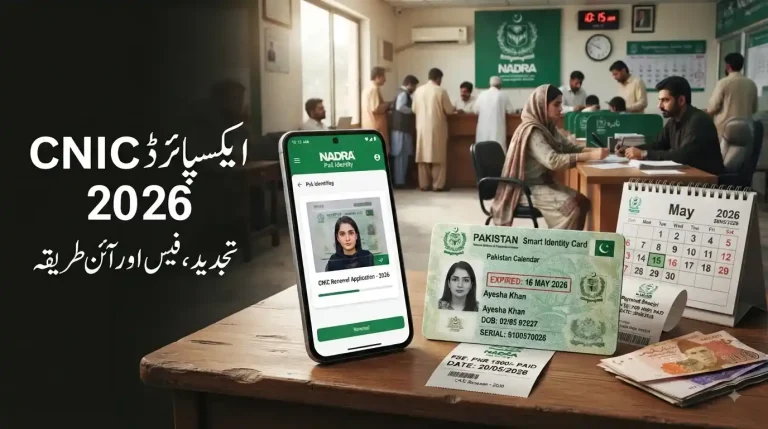
NADRA’s PakID mobile application supports CNIC reprint/lost applications. NADRA describes PakID as its official digital platform for identity-document applications, including CNIC renewal, modification, and reprint/lost services.
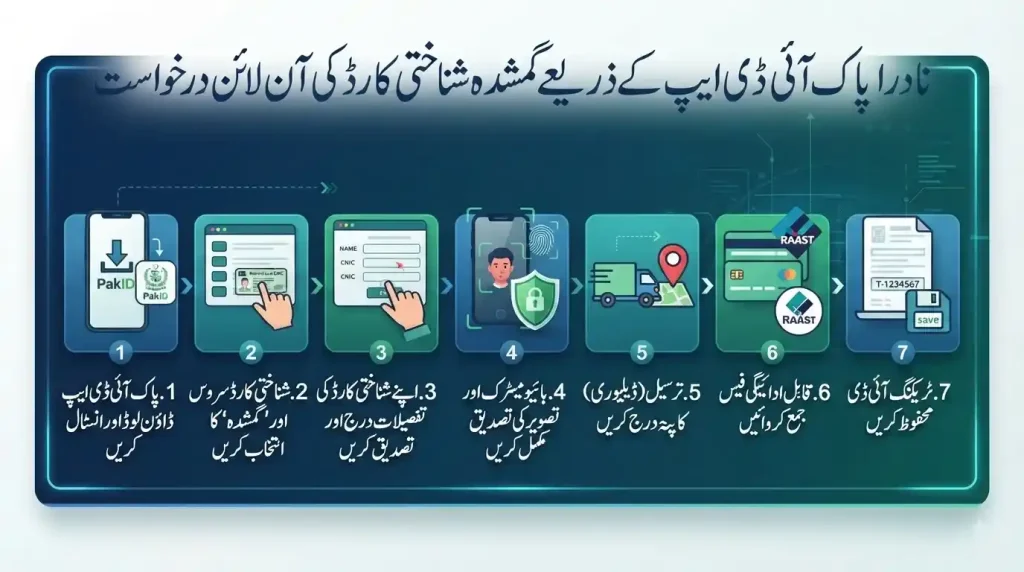
Step 1: Download and Open the PakID App
Install the official PakID application and create an account or sign in to your existing account.
Use NADRA’s official platform rather than an unofficial website or third-party service.
Step 2: Select the CNIC Service
From the identity-document options, select the CNIC service and choose the Reprint/Lost option where applicable.
NADRA’s current guidance confirms that CNIC reprint/lost applications are available through PakID.
Step 3: Enter or Confirm Your CNIC Details
Provide the requested identity information and verify the details displayed by the system.
Make sure your name, CNIC number, date of birth, and other information are correct before continuing.
Step 4: Complete Biometric and Photo Verification
PakID supports biometric verification using the phone’s camera and live photo capture. Depending on the application, NADRA may also require additional verification or a visit to a registration centre.
Step 5: Select Delivery Information
Follow the application instructions to provide the required delivery information and complete the application.
Step 6: Pay the Applicable Fee
Pay the fee using a payment method currently supported by NADRA.
NADRA’s current payment guidance lists credit/debit cards and Raast for PakID payments. Its payment options can vary by service, so check the payment screen for the options available to your particular application.
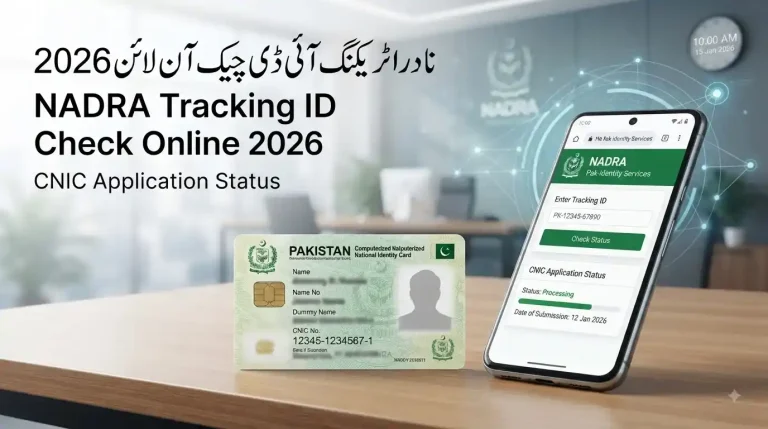
Step 7: Save Your Tracking ID
After submission, save your Tracking ID/Application ID and payment confirmation.
You will need the tracking information if you want to check the progress of your application or contact NADRA about it.
How to Apply for a Duplicate CNIC at a NADRA Centre
If you prefer an in-person application, you can visit a NADRA Registration Centre.
The general process involves:
- Visit a NADRA Registration Centre.
- Obtain the required service token.
- Provide your CNIC details.
- Complete the required biometric verification.
- Review the information entered by the NADRA official.
- Provide your photograph/signature where required.
- Pay the applicable fee.
- Keep your receipt and tracking information.
NADRA also operates Mobile Registration Vans (MRVs) that provide several identity-document services, including CNIC reprint/lost applications, in selected areas.
If you are unsure which centre provides the service you need, check NADRA’s official service information before travelling.
Documents Required for a Lost CNIC Replacement
One of the most common questions is: What documents are required for a duplicate CNIC?
For a straightforward CNIC reprint/lost request, NADRA’s existing identity record is the basis of the application. NADRA’s FAQ confirms that citizens who lose their identification card can apply for a new card and directs applicants to the relevant requirements for their specific case.
Keep These Details Available
Although requirements can depend on the application and verification circumstances, it is useful to have:
- Your existing 13-digit CNIC number, if known
- A copy or photograph of your old CNIC, if available
- Your registered mobile number
- Your application/account information
- Any documents requested by NADRA during verification
Do You Need an FIR for a Lost CNIC?
An FIR should not be presented as a universal mandatory requirement for every lost-CNIC reprint.
If the card was stolen, lost in circumstances where misuse is a concern, or you want a formal record of the incident, making a police report can nevertheless be a sensible precaution.
The important point is that the FIR and the NADRA replacement application are separate matters. Check NADRA’s current requirements for your particular case before assuming a police report is compulsory.
Duplicate CNIC Fee in Pakistan
NADRA’s current published fee structure lists the following fees for a Duplicate CNIC:
| Service | Fee | Published Processing Time |
| Normal | Rs. 400 | 15 days |
| Urgent | Rs. 1,150 | 12 days |
| Executive | Rs. 2,150 | 6 days |
These figures are from NADRA’s currently published fee structure and are different from older figures commonly reproduced online.
For comparison, NADRA currently lists Smart NIC Duplicate fees at Rs. 750, Rs. 1,500, and Rs. 2,500 for Normal, Urgent, and Executive categories respectively, with different processing times.
Important: Check the Fee Before Payment
NADRA fees can change, and additional delivery charges may apply. NADRA currently lists a PKR 165 delivery charge within Pakistan for ID cards on its fee page.
Therefore, always confirm the amount shown during your application rather than relying on an old blog post, social media post, or unofficial fee table.
How Long Does a Duplicate CNIC Take?
For a standard Duplicate CNIC, NADRA’s currently published processing times are:
- Normal: 15 days
- Urgent: 12 days
- Executive: 6 days
The applicable processing period begins after the required fee has been paid, according to NADRA’s published fee information.
Actual delivery can also depend on the delivery process and the information provided in the application.
How to Track Your Duplicate CNIC Application
After applying, keep your Tracking ID safe.
For applications submitted through PakID, NADRA provides application tracking through the platform. PakID is designed to support both identity-document applications and application tracking.
What You Should Keep
Save:
- Tracking ID
- Payment confirmation
- Application screenshots
- Registered mobile number
- Email notifications, if applicable
If your application remains pending beyond the expected processing period, use NADRA’s official support channels rather than relying on unofficial tracking websites.
What Is DUP Status in NADRA?
DUP status generally refers to a duplicate or multiple identity-record situation in NADRA’s database.
This is different from simply losing your physical CNIC.
A lost CNIC means your physical identity card is missing while your identity record may remain valid. A DUP issue can involve multiple identity records or identity numbers associated with the same person and may require separate clearance.
NADRA’s current fee structure includes a specific section for clearance of multiple identity cards, with different charges depending on the nature of the duplicate records.
What Should You Do If Your Application Shows DUP?
If your application is blocked because of a DUP or multiple-record issue, do not submit repeated applications hoping the problem will disappear.
Instead, contact or visit NADRA and ask for the appropriate multiple identity card/duplicate record clearance procedure.
Lost or Stolen CNIC: What About Identity Theft?
A lost CNIC creates a potential security concern because the card contains personal identifying information.
The safest approach is to replace the card through official NADRA channels and remain alert for suspicious activity involving your identity.
If you suspect that someone is attempting to use your identity, keep records of the incident and contact the relevant institution or authority immediately.
Protect Your CNIC Information
Avoid:
- Posting a full CNIC image publicly
- Sending CNIC photographs to unknown people
- Sharing OTPs or account passwords
- Using unofficial websites claiming to process NADRA applications
- Giving fingerprints or biometric information to unauthorized individuals
Only use official NADRA channels for CNIC services.
Check SIMs Registered Against Your CNIC
After losing your CNIC, it is also sensible to check the number of SIMs registered against your identity.
Pakistan’s telecom authorities have advised consumers to periodically check SIMs registered in their name. PTA’s cybersecurity guidance specifically states that consumers can check SIMs issued in their name by sending their CNIC number to 668.
You can also use the official SIM Information System:
If you discover an unfamiliar SIM, contact the relevant mobile operator and use PTA’s complaint mechanism where necessary.
PTA Complaint Management System
Can You Apply for a Duplicate CNIC Online?
Yes. NADRA’s PakID platform supports CNIC Reprint/Lost applications. The exact steps and verification requirements can vary depending on the applicant and application.
Online processing is particularly useful for people who want to avoid an unnecessary visit to a NADRA centre, although NADRA may still require physical verification in some circumstances.
Can Someone Else Apply for My Duplicate CNIC?
Do not assume that another person can complete the entire process on your behalf simply because they know your CNIC number.
CNIC services involve identity verification, and PakID supports biometric and live-photo verification. NADRA may require the applicant to complete specific verification steps or visit a centre depending on the case.
For applications involving relatives or special circumstances, follow the instructions displayed by NADRA rather than relying on older procedures published elsewhere.
Can Overseas Pakistanis Apply for a Lost CNIC or NICOP?
Yes. NADRA’s PakID system supports identity-document services for overseas Pakistanis, including NICOP reprint/lost applications.
However, a NICOP is not the same document as a CNIC, and its fee structure and processing times can differ.
NADRA currently publishes separate fee tables for Smart NICOP services by geographic zone. For example, its published Zone A and Zone B tables show different fees and processing times for Smart NICOP duplicate applications.
Therefore, overseas applicants should check the fee applicable to their country rather than using an old Dubai, UAE, or general overseas fee quoted in another article.
CNIC Reprint vs. CNIC Renewal vs. Modification
These services should not be confused:
CNIC Reprint / Lost
Used when an existing card is lost or damaged and you need another card based on your existing record.
CNIC Renewal
Used when your existing identity card needs renewal because of expiry or another applicable renewal situation.
CNIC Modification
Used when information on the identity record needs to be changed or updated.
NADRA lists these as separate services within its identity-document system.
What If My CNIC Is Damaged Instead of Lost?
A damaged CNIC can also fall under the reprint process.
NADRA’s official reprint guidance specifically covers identity cards that have been lost or broken/damaged.
If the card is still available but physically damaged, keep it until NADRA tells you whether it should be surrendered or submitted during the application process.
What If I Cannot Visit a NADRA Centre?
NADRA provides multiple service channels.
In addition to PakID, NADRA operates Mobile Registration Vans (MRVs) in selected areas. Its published MRV information includes CNIC fresh, renewal, modification, and reprint/lost services.
The availability of a mobile service depends on the published schedule and location, so check NADRA’s current schedule before making travel arrangements.
Common Mistakes to Avoid When Applying for a Duplicate CNIC
1. Using an Outdated Fee
Old websites frequently quote previous NADRA fees. Always check the current official fee structure.
2. Applying Through Unofficial Websites
Do not provide your CNIC details, photographs, fingerprints, OTPs, or payment information to websites claiming to be NADRA unless you have verified that they are official.
3. Losing Your Tracking ID
Your tracking information is important for checking the status of your application.
4. Assuming an FIR Is Always Mandatory
A police report may be useful after theft or suspicious loss, but do not automatically treat it as a universal requirement for every NADRA reprint.
5. Confusing a Lost Card With DUP Status
A lost physical card and a duplicate identity record are two different problems.
6. Reapplying Repeatedly
If an existing application is delayed or blocked, first determine the reason instead of submitting multiple applications.
Final Checklist: Lost CNIC Replacement in Pakistan
Before submitting your application, make sure you have:
- Your CNIC number, if available
- Access to your PakID account if applying online
- A working mobile number
- Any copy/photo of your old CNIC, if available
- Payment method accepted by NADRA
- Your Tracking ID after submission
- A police report if you choose to document a theft or suspicious loss
- Checked the SIMs registered against your CNIC if you are concerned about misuse
Final Words
Losing your CNIC does not mean you have to start the identity-registration process from scratch. NADRA provides a dedicated Reprint/Lost service for existing identity cards, and eligible applicants can use the PakID platform or an appropriate NADRA service centre.
The most important thing is to use current information. NADRA’s fee structure, processing times, payment methods, and digital procedures can change, which is why applicants should verify the details before submitting an application.
If your CNIC has been lost, the practical sequence is simple: apply for a reprint, pay the current fee, save your tracking ID, monitor the application, and take reasonable steps to protect your identity and SIM registrations.
For the latest requirements, fees, and application options, always refer to the official NADRA website.