NADRA CNIC Details with Picture
Searching for NADRA CNIC details with picture can be confusing because many websites, apps, and APK files claim that you can enter a CNIC number and instantly see a person’s photograph and complete identity record.
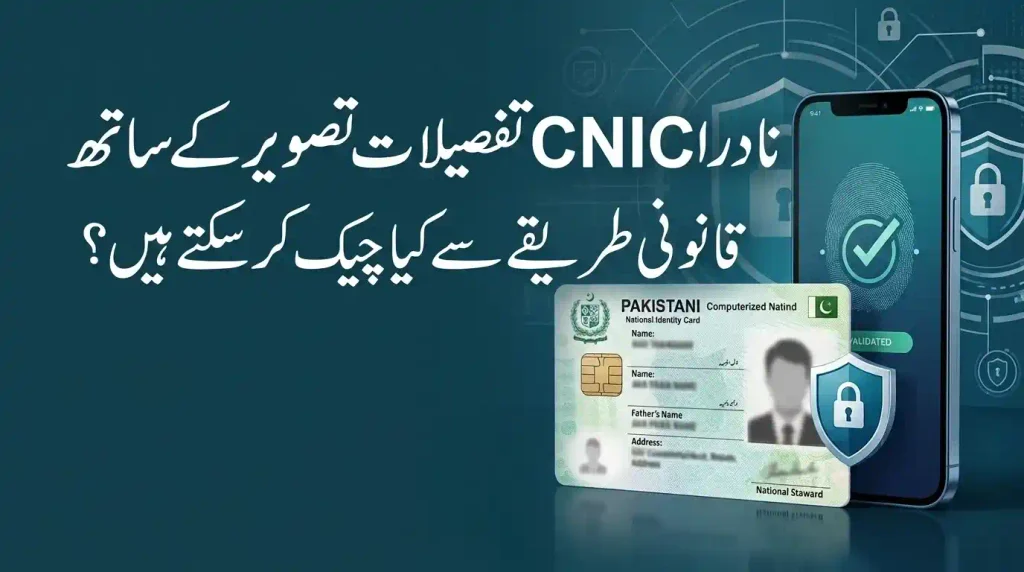
That is not how legitimate NADRA services work.
A CNIC is connected to sensitive identity information, including a person’s photograph and biometric information. Official verification services are designed to protect this information rather than make another person’s CNIC photograph publicly searchable.
If you want to verify CNIC details, check your own identity record, confirm family information, track a NADRA application, or check SIMs registered against your CNIC, you should use the appropriate official channel.
This guide explains what NADRA CNIC details with picture means, which information can be verified, how official CNIC verification works, what major SMS services are used for, and why you should avoid third-party CNIC-photo websites and APKs.
Quick Answer: Can You Check NADRA CNIC Details With a Picture?
No public NADRA service allows anyone to enter another person’s CNIC number and obtain that person’s CNIC photograph and complete biometric record.
Official services may allow identity verification or access to services associated with your own record after authentication. However, a public CNIC-number-to-photo lookup is not an official NADRA service.
If a website, app, WhatsApp contact, or APK promises to show a person’s CNIC picture from their CNIC number, treat the service with caution.
What Can You Check With Official Services?
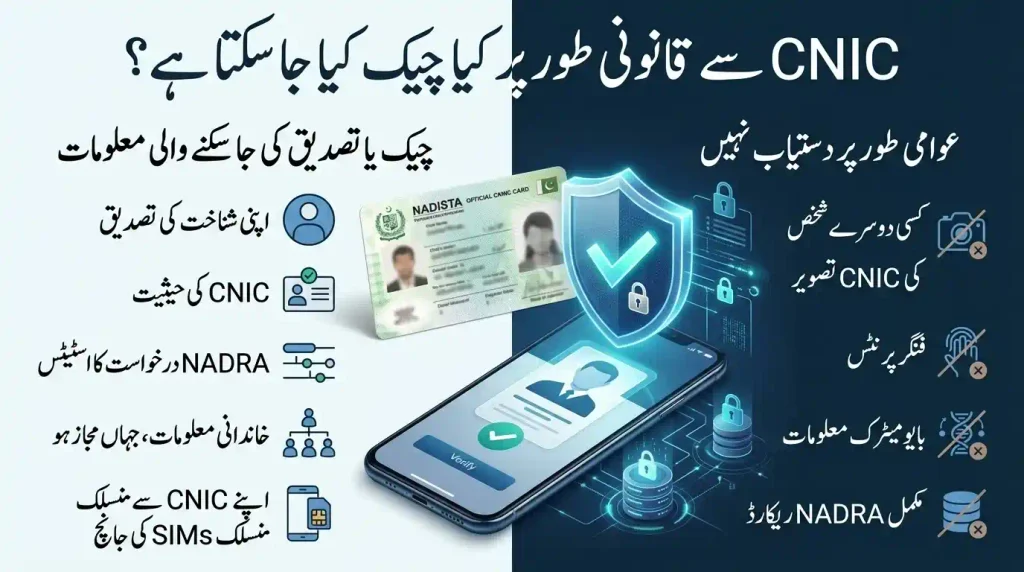
Depending on the service and authentication requirements, you may be able to:
- Verify certain CNIC information
- Check the status of your identity document
- Access your own NADRA-related applications
- Verify family information through applicable services
- Track a NADRA application
- Check SIMs associated with your CNIC
- Apply for CNIC renewal, modification, or reprint services
Can You Publicly Search Someone’s CNIC Photo?
There is no legitimate public CNIC-photo lookup that allows unrestricted access to another person’s NADRA photograph simply by entering a CNIC number.
What Is a CNIC?
CNIC stands for Computerised National Identity Card. It is the primary identity document issued by NADRA (National Database and Registration Authority) to Pakistani citizens who meet the applicable age and registration requirements.
A CNIC is used for many identity-related activities in Pakistan, including:
- Banking and financial services
- SIM registration
- Government services
- Passport-related processes
- Identity verification
- Property and legal transactions
- Other services requiring proof of identity
A CNIC is associated with important identity information such as the holder’s name, date of birth, address, and unique identification number. NADRA’s identity database also contains information used for biometric authentication.
For Pakistani citizens living abroad, NADRA provides identity documents such as NICOP (National Identity Card for Overseas Pakistanis) under the applicable rules.
What Information Is Associated With a CNIC?
A CNIC record may be associated with different categories of identity information.
Depending on the service and authorization involved, this can include:
- Full name
- Father’s or spouse’s name where applicable
- Date of birth
- Gender
- Address information
- CNIC number
- Family-related information
- Photograph
- Biometric information
- Registration or identity-document status
Not all of this information is publicly accessible.
CNIC Photo and Biometric Information
A person’s photograph and biometric information are particularly sensitive identity data.
For this reason, you should never assume that a website claiming to provide a CNIC picture by number is connected to NADRA.
Can You Check NADRA CNIC Details With Picture Online?
The answer depends on whose information you are trying to access.
Checking Your Own Information
Official NADRA channels can provide services for managing or processing your own identity information, subject to authentication and the requirements of the particular service.
Checking Another Person’s Information
You should not expect an official public service to provide another person’s complete CNIC record or photograph simply from their CNIC number.
This distinction is important because many searches for:
- NADRA CNIC details with picture
- CNIC photo check online
- CNIC picture by number
- CNIC details with photo
- CNIC information online
can lead users toward unofficial websites and applications.
The safest approach is to use the official NADRA service that matches your actual requirement instead of searching for an unrestricted CNIC-photo lookup.
Why Are CNIC Picture Lookup Websites Risky?
Websites and APK files claiming to provide CNIC details with picture can create serious privacy and security concerns.
A suspicious service may ask for:
- Your CNIC number
- Mobile number
- OTP
- Photograph
- Identity documents
- Contacts permission
- SMS permission
- Storage or gallery access
- Camera access
- Other unnecessary permissions
Providing this information to an unknown service can expose you to identity misuse, phishing, data theft, or unauthorized use of personal information.
Red Flags to Watch For
Be especially careful if a platform:
- Promises a CNIC photo instantly
- Claims to have a secret NADRA database
- Requires an APK downloaded outside an official app store
- Requests unnecessary phone permissions
- Asks for an OTP
- Requests payment before showing a supposed record
- Claims to provide “all CNIC details”
- Uses NADRA branding without being an official NADRA service
- Operates through an unknown WhatsApp number or social-media account
Official Ways to Verify NADRA CNIC Information
The correct method depends on what you are trying to accomplish.
PakID / Pak-Identity App
The PakID application is NADRA’s official digital platform for supported identity-document services.
Depending on the applicant and service, it can be used for services such as:
- CNIC renewal
- CNIC modification
- CNIC reprint/lost services
- Other supported identity-document applications
The application may require identity and biometric verification.
The important point is that PakID is designed for authenticated identity services. It is not a public search engine for finding another person’s CNIC photograph.
Why Use the Official App?
Using the official application can help you:
- Submit supported applications digitally
- Upload required documents
- Complete applicable verification steps
- Pay applicable charges
- Monitor application progress
- Reduce unnecessary visits to a NADRA office where digital processing is available
Always download an official NADRA application through an authorized source rather than installing an unknown APK advertised as a “CNIC photo checker.”
NADRA Online Portal
NADRA’s online identity platform provides authenticated services for identity-document applications and related processes.
The portal can be used for supported services such as:
- CNIC applications
- Renewal
- Modification
- Reprint/lost services
- Family Registration Certificate (FRC)
- Child Registration Certificate (CRC)
- Other identity-related applications
The portal is intended for authorized users and applications rather than unrestricted public access to another person’s CNIC photograph.
NADRA Website
The official NADRA website provides information about identity-document services, verification options, application procedures, fees, and other services.
When checking CNIC information online, make sure you are using the genuine NADRA website.
Do not enter your CNIC number, password, OTP, or identity documents into a website simply because it uses NADRA’s name or logo.
CNIC Verification by SMS
Some identity-related services use dedicated SMS shortcodes for specific purposes.
However, each shortcode has a particular function. An SMS service should not be confused with a public CNIC photo lookup.
7000 — CNIC Verification
The supplied source identifies 7000 as a CNIC verification shortcode for checking basic CNIC-related information.
Before using any paid SMS service, verify the current shortcode, charges, and service availability through NADRA’s latest official information because government services can change.
8008 / 8009 — Family Information Services
The supplied information associates 8008 and 8009 with family-related CNIC information and correction or inquiry functions.
These services should not be interpreted as a method for obtaining another person’s CNIC photograph.
If family information appears incorrect, use the applicable NADRA correction or inquiry procedure rather than relying on an unofficial database.
8400 — NADRA Application Tracking
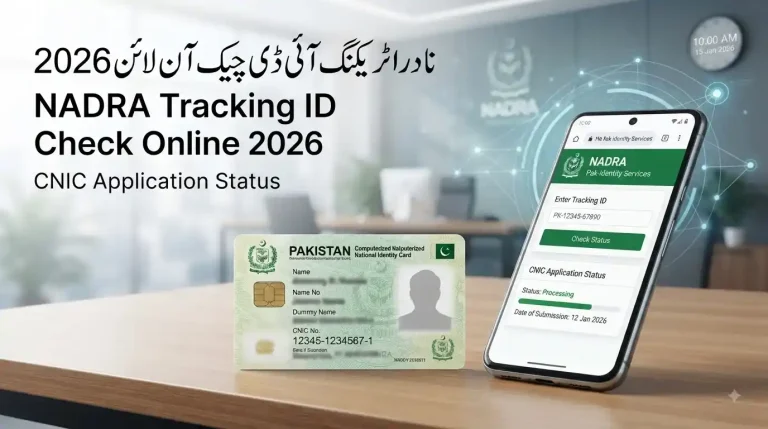
If you have submitted a NADRA application and received a tracking ID, the relevant official tracking mechanism can be used to check the application status.
The supplied source identifies 8400 for SMS-based application tracking.
Keep your tracking information private and do not post it publicly.
668 — SIM Ownership Check
The supplied information identifies 668 with SIM-related verification.
It is not a service for obtaining a CNIC photograph.
If you want to check whether unauthorized SIMs are associated with your CNIC, use the official telecom verification process and contact the relevant mobile operator if you find an unfamiliar number.
What CNIC Details Can Be Verified Legally?
The exact information available depends on the official service, the applicant’s relationship to the record, and the required authentication.
Generally, legitimate identity services may be used to verify or manage information such as:
- Name
- Date of birth
- Identity-document status
- Family information through applicable services
- Application status
- SIM ownership information through the relevant telecom system
- Other information made available through an authorized NADRA service
What Is Not a Public CNIC Lookup?
The following should not be treated as publicly searchable information:
- Another person’s CNIC photograph
- Fingerprints
- Iris information
- Facial biometric records
- Complete NADRA database records
- Confidential identity information
A service claiming to provide all of these details from only a CNIC number should be treated as suspicious.
Understanding the 13-Digit CNIC Number
Every CNIC contains a unique 13-digit identification number.
The number is commonly discussed in terms of different sections associated with geographic, family, and identity information.
The final digit is commonly associated with the holder’s gender in the traditional CNIC numbering structure:
- Odd final digit — male
- Even final digit — female
However, the CNIC number should not be treated as a password or as a publicly searchable key for accessing someone’s private NADRA record.
Should You Share Your CNIC Number Publicly?
No.
Avoid publishing your complete CNIC number on:
- Public WhatsApp groups
- Online forums
- Comment sections
- Unverified websites
- Social-media posts
If you need to submit your CNIC to an organization, make sure you understand why it is required and that you are dealing with a legitimate recipient.
NADRA Smart CNIC and Digital Identity Services
NADRA provides different identity-document formats and digital services under its identity framework.
A Smart CNIC is different from the concept of CNIC validity.
In simple terms:
- CNIC refers to the identity document.
- Smart CNIC refers to a particular card format.
- PakID refers to NADRA’s digital application platform.
- Lifetime validity refers to the validity period assigned to an eligible identity document.
These terms should not be used interchangeably.
CNIC, NICOP, POC and Juvenile Card: What Is the Difference?
NADRA issues different identity documents for different categories of people.
CNIC
The Computerised National Identity Card is the standard identity document for eligible Pakistani citizens.
Juvenile Card
The Juvenile Card is an identity document for eligible Pakistani minors.
NICOP
The National Identity Card for Overseas Pakistanis (NICOP) is issued to eligible Pakistani citizens living abroad.
POC
The Pakistan Origin Card (POC) is intended for eligible foreign nationals of Pakistani origin under NADRA’s applicable rules.
Each document has its own eligibility criteria, application process, and requirements.
What to Do If You Need Someone’s CNIC Information for Verification
Sometimes an organization genuinely needs to verify another person’s identity.
In such cases, do not attempt to obtain the information through an unauthorized CNIC database.
Instead:
- Ask the person to provide the required identity document directly.
- Use the official verification method available to your organization.
- Obtain consent where required.
- Verify the information through an authorized channel.
- Keep copies of identity documents secure.
- Do not upload identity documents to random websites.
This approach reduces the risk of exposing sensitive personal information.
What If Your CNIC Details Are Incorrect?
If you discover an error in your identity information, use the appropriate NADRA correction or modification service.
Common examples include:
- Incorrect name spelling
- Incorrect date of birth
- Incorrect address
- Incorrect marital information
- Other identity-record discrepancies
The supporting documents required can vary depending on the information being changed.
Do not attempt to correct NADRA information through an unofficial website or third-party database.
What If Your CNIC Is Lost?
A lost CNIC should be handled through NADRA’s applicable reprint/lost service.
Depending on the available service, you may be able to apply through PakID or another authorized channel.
Do not post a photograph of your CNIC online asking strangers to help recover the details.
A publicly shared CNIC image can expose sensitive information that could later be misused.
How to Protect Your CNIC Information Online
Follow these basic security practices.
Use Official NADRA Channels
Use the official NADRA website, authorized digital applications, and recognized service centres.
Never Share OTPs
Never disclose an OTP to an unknown person, even if they claim to be a NADRA representative.
Avoid Unknown APK Files
Do not install an APK simply because it promises to show CNIC details with picture.
Check App Permissions
Be cautious if an identity-related application asks for unnecessary access to your contacts, messages, gallery, or other personal data.
Don’t Send CNIC Photos to Strangers
Never send your complete CNIC image to an unknown WhatsApp number, Facebook account, or online agent.
Keep Tracking Information Private
Application tracking numbers and other reference details should not be posted publicly.
Can a CNIC Number Reveal a Person’s Complete Address?
A CNIC number is associated with identity and registration information, but this does not mean that anyone can legally enter the number into a public website and obtain a person’s complete private record.
Do not trust websites promising:
CNIC number → complete address → photograph → family details
Such claims should be treated with extreme caution.
Use authorized verification procedures for legitimate identity checks.
Can You Find a CNIC Picture From a Name?
There is no legitimate public search method that should be relied upon to obtain someone’s private NADRA photograph merely by entering their name.
Similarly, searches claiming to provide:
- CNIC picture by name
- CNIC photo by number
- NADRA photo database
- CNIC details with image
- Complete CNIC record online
should be approached carefully.
The absence of a public photo lookup is an important privacy safeguard.
Can You Download Someone’s NADRA Biometric Data?
No public CNIC lookup should provide another person’s biometric data for download.
Biometric information is used for identity authentication and is highly sensitive.
Do not trust websites or applications that claim to provide:
- Fingerprints
- Iris records
- Facial biometric information
- Complete NADRA profiles
- Downloadable biometric databases
Such claims are a major warning sign.
Why You Should Avoid Third-Party CNIC Apps and Websites
Third-party CNIC platforms can create several risks.
Identity Theft
Your information may be collected and reused without your knowledge.
Phishing
A fake login page may be designed to capture your password or OTP.
Malware
An unofficial APK may contain malicious software.
Data Exposure
Uploading CNIC photographs or identity documents can expose sensitive information.
Fake Results
Some websites may display fabricated or outdated information to appear legitimate.
Financial Fraud
A fraudulent platform may request payment for information it cannot legitimately provide.
NADRA CNIC Details With Picture: Common Searches Explained
NADRA CNIC Details With Picture
There is no public service that should be relied upon to obtain another person’s complete CNIC details and photograph simply by entering a CNIC number.
CNIC Picture Check Online
Use authorized identity services for your own records. Do not use unknown CNIC-photo websites.
CNIC Details by Number
Certain official services may verify specific information, but the availability of information depends on the service and authorization.
CNIC Photo by Number
A public CNIC-number-to-photo lookup is not an appropriate substitute for official identity verification.
NADRA CNIC Verification
Use the official NADRA service that corresponds to your verification requirement.
Final Words
The search term “NADRA CNIC details with picture” can lead users toward websites and applications that promise more information than legitimate public services provide.
The safest approach is straightforward: do not search for another person’s CNIC photograph through an unofficial database.
If you need to manage your own CNIC, use authorized NADRA services such as the PakID platform, NADRA’s official online services, or a NADRA Registration Centre.
For specific requirements such as application tracking, family information, or SIM verification, use the official service designed for that purpose.
Most importantly, never provide your CNIC number, CNIC photograph, OTP, fingerprints, or other sensitive identity information to an unknown website, APK, WhatsApp number, or online agent.
Your CNIC is more than an identification card. It is connected to sensitive personal information, so protecting that information starts with using the correct official verification channel.