How to Change Address on CNIC in Pakistan 2026
Keeping your CNIC address updated is important whenever your residential information changes. An outdated address can create unnecessary problems when your CNIC information is checked for banking, government services, identity verification, or other official purposes.
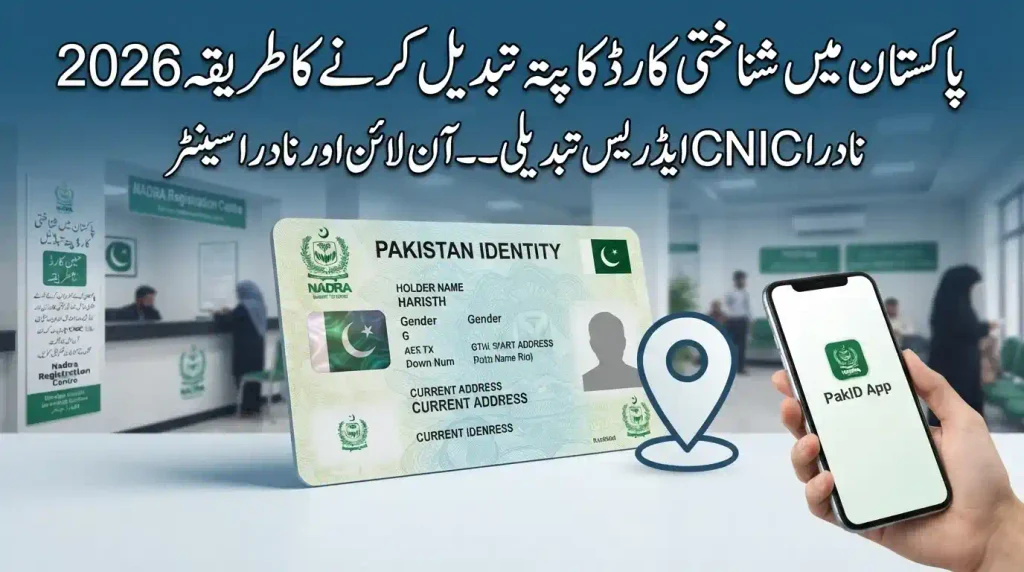
In Pakistan, NADRA (National Database and Registration Authority) provides CNIC modification services through NADRA Registration Centers and its official PakID Mobile App. The online platform supports CNIC modification, while some applications or cases may still require a visit to a NADRA Registration Centre.
This guide explains the CNIC address change procedure in Pakistan for 2026, including the documents you may need, online and in-person methods, current NADRA fees, processing times, delivery options, and important points to check before submitting your application.
What Is a CNIC Address Change?
A CNIC address change is a modification of the address recorded in your NADRA identity record.
You may need to update your CNIC if:
- You have permanently moved to another city or area.
- Your permanent residential address has changed.
- Your temporary/current address needs to be updated.
- You have moved into a rented property.
- You’re existing CNIC contains an incorrect or outdated address.
- You need your identity record to reflect your current residential information.
The address modification is handled as a CNIC modification service by NADRA.
Why Should You Update Your CNIC Address?
Keeping your NADRA record accurate can make future identity-verification processes easier.
An outdated address may create difficulties when an institution needs to compare your identity information with other records. It can also become inconvenient when official correspondence, documentation, or services depend on your registered residential information.
Updating the address is particularly useful after a permanent relocation or when your residential circumstances have changed significantly.
The main purpose is simple:
Your CNIC/NADRA record should contain accurate and current information.
NADRA CNIC Address Change Rules 2026
The current NADRA system allows eligible citizens to apply for CNIC modification through the official channels.
For online applications, NADRA’s PakID Mobile App supports CNIC modification services. NADRA describes PakID as its official mobile application for identity-document applications, modifications, renewals, reprints, document uploads, biometric verification, and application tracking.
You can generally choose between:
- NADRA Registration Centre
- PakID Mobile App
The appropriate method depends on your application and whether NADRA requires additional verification or an in-person visit.
Documents Required for CNIC Address Change
The exact supporting documents can depend on the circumstances of the applicant and the verification requirements applicable to the case.
Before applying, you should have valid proof supporting your new residential address.
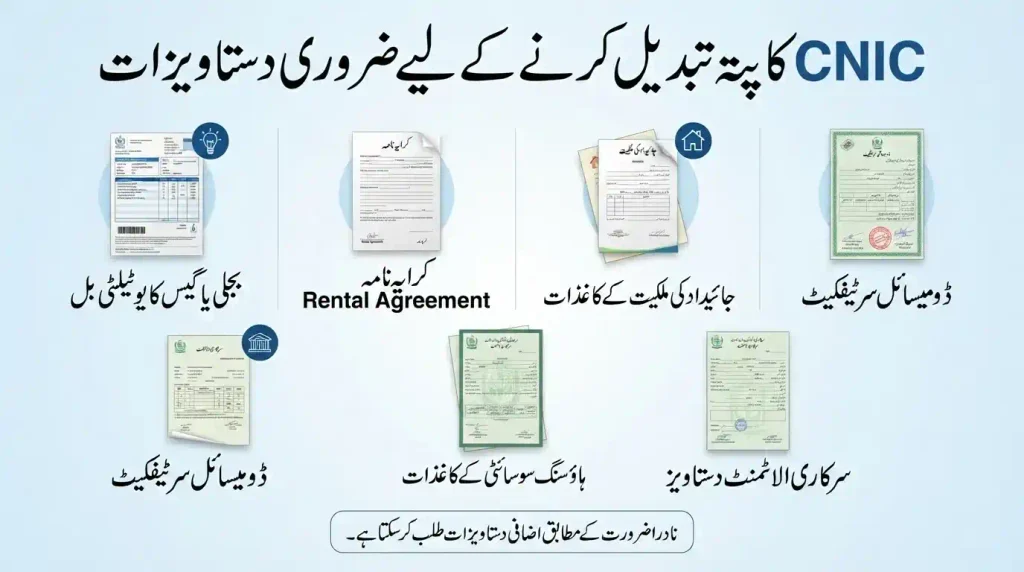
Commonly used address-related documents may include:
- Utility bill
- Rental or tenancy agreement
- Property ownership documents
- Domicile certificate
- Housing society allotment or possession documentation
- Government allotment documentation
- Other acceptable proof requested by NADRA
If the supporting document belongs to a spouse, parent, landlord, or another family member rather than the applicant, additional verification or relationship documentation may be required depending on the case.
Important
Do not assume that every document will automatically be accepted in every situation. NADRA may request additional evidence where the address, ownership, family relationship, or identity information require verification.
For unusual cases, it is safer to confirm the requirements with NADRA before travelling to a Registration Centre.
Permanent Address vs Temporary Address on CNIC
NADRA records can contain both permanent and temporary/current residential information.
Permanent Address
Your permanent address represents your permanent residential details.
If you have permanently relocated and want your CNIC record to reflect the new residence, you can apply for a CNIC modification.
Temporary Address
A temporary address represents where you are currently staying when it differs from your permanent residence.
This can be particularly relevant for:
- Students
- Employees living in another city
- Tenants
- People temporarily relocated for work
- Families staying at another residence
The supporting evidence required can depend on the circumstances of the application.
How to Change Address on CNIC at NADRA Centre
For applicants who prefer an in-person application, the process generally follows these steps:
Step 1: Visit a NADRA Registration Centre
Go to a NADRA Registration Centre with your original CNIC and the documents supporting your new address.
Step 2: Get a Token
Take the required token according to the center’s procedure.
Step 3: Provide Your Information
Tell the NADRA official that you want to modify your CNIC address.
Step 4: Submit Address Proof
Provide the required supporting document for your new residential address.
Step 5: Complete Biometric Verification
NADRA may verify your identity using biometric information and other verification procedures.
Step 6: Review Your Information
Carefully check the address and other information entered into the application.
Pay particular attention to:
- House number
- Street number/name
- Area
- Sector
- City
- District
- Spelling of the address
Step 7: Pay the Applicable Fee
Pay the applicable CNIC modification fee according to the selected processing priority.
Step 8: Receive Your Receipt/Tracking Information
Keep your receipt and tracking information so that you can follow the progress of your application.
How to Change CNIC Address Online in 2026
NADRA’s PakID Mobile App supports CNIC modification applications. NADRA officially lists CNIC modification among the services available through PakID.
The general online process is:
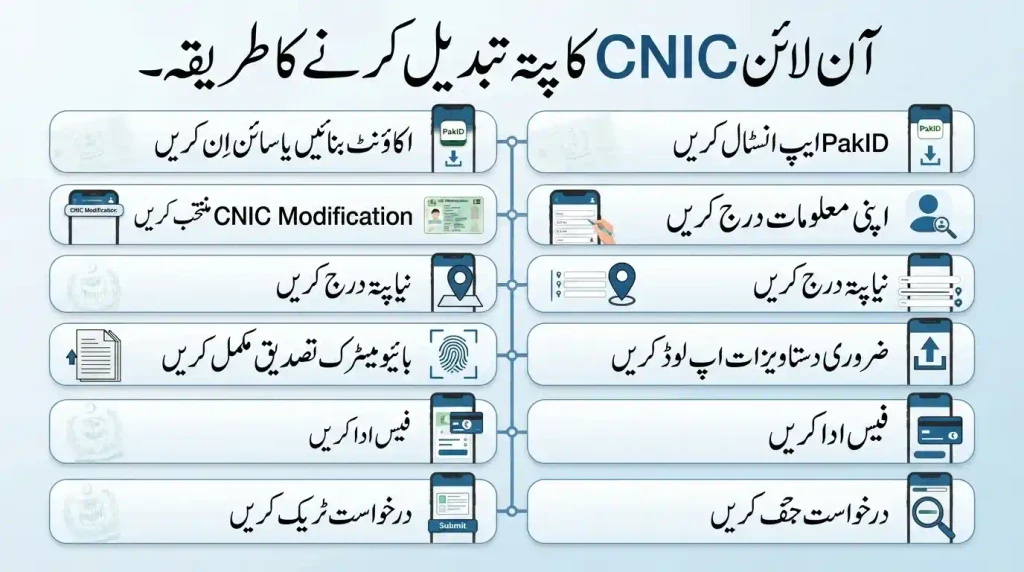
Download/Install PakID
↓
Create an Account or Sign In
↓
Select CNIC Modification
↓
Enter the Required Information
↓
Update Your Address
↓
Upload Supporting Documents
↓
Complete Biometric Verification
↓
Pay the Applicable Fee
↓
Submit Application
↓
Receive Tracking Information
↓
Track Application Status
PakID supports document uploads, live photo capture, digital signature capture and smartphone-based fingerprint verification. NADRA also lists multiple authorized payment methods, subject to service availability.
Important Online Application Note
Not every situation can necessarily be completed entirely online.
NADRA states that some identity-document applications may require a visit to a Registration Centre for biometric verification or other completion steps. Therefore, applicants should follow the instructions displayed by the official PakID system for their individual application.
NADRA CNIC Address Change Fee 2026
The most important correction to older information is that CNIC address modification falls under CNIC Modification, rather than being treated as a separate free address-change service.
According to NADRA’s current official fee structure, the fees for CNIC Modification are:
| CNIC Modification Priority | Fee | Processing Time |
| Normal | PKR 400 | 15 days |
| Urgent | PKR 1,150 | 12 days |
| Executive | PKR 2,150 | 6 days |
These are the current official CNIC modification fees listed by NADRA.
Smart CNIC Modification Fee
For Smart NIC modification, NADRA’s current fee structure lists:
| Smart NIC Modification Priority | Fee | Processing Time |
| Normal | PKR 750 | 31 days |
| Urgent | PKR 1,500 | 23 days |
| Executive | PKR 2,500 | 9 days |
Delivery Charges
NADRA’s current fee information separately lists PKR 165 delivery charges within Pakistan for ID cards. Applicants should check the final payable amount displayed during their application because applicable charges can depend on the service and delivery option selected.
How Long Does CNIC Address Change Take?
The processing time depends on the type of CNIC modification service selected.
For standard CNIC modification, NADRA currently lists:
- Normal: 15 days
- Urgent: 12 days
- Executive: 6 days
For Smart NIC modification:
- Normal: 31 days
- Urgent: 23 days
- Executive: 9 days
These are NADRA’s stated priority timelines. Actual completion or delivery can depend on application verification, payment, biometric requirements, document issues, and delivery arrangements.
Can I Change My CNIC Address Online Without Visiting NADRA?
Yes, CNIC modification is available through the official PakID Mobile App. However, whether your application can be completed entirely online depends on the requirements shown by NADRA during the application.
PakID supports CNIC modification, document uploads and biometric verification through compatible smartphone features. Some cases may still require a NADRA Registration Centre visit.
Therefore, it is better to think of PakID as the official online application route, rather than assuming that every address-change case will always be completed without a center visit.
How to Track Your CNIC Modification Application
After submitting your application, keep your tracking/application reference information safely.
PakID provides application tracking, and NADRA also provides official channels for assistance.
If your application is delayed or you encounter a verification problem, use NADRA’s official support channels rather than relying on unofficial websites or agents.
How Will the Updated CNIC Be Delivered?
The delivery method depends on the service and option selected during the application.
NADRA’s official guidance supports selecting an appropriate delivery/collection option for applicable identity-card services, including delivery to an address or collection through a NADRA center depending on the service.
Before completing the application, carefully check the delivery address you enter.
The wrong house number, street, sector, or city can cause unnecessary delivery problems.
New NADRA Identity Card Changes in 2026
There is another important 2026 development that applicants should know about.
In February 2026, the Federal Government notified amendments to the National Identity Card Rules, 2002 and Pakistan Origin Card Rules, 2002. The amendments introduced QR-based verification and strengthened authentication controls in Pakistan’s identity-document framework.
NADRA subsequently announced a new chipless, QR-code-based National Identity Card in August 2026. The new card is being introduced in phases. NADRA says existing identity cards remain valid until their respective expiry dates.
This means applicants should not assume that an older CNIC design is becoming available or a new card format being introduced automatically makes an existing valid CNIC invalid.
Important Tips Before Changing Your CNIC Address
Follow these precautions before submitting your application:
1. Check Your Address Carefully
Make sure every part of the address is correct before confirming the application.
2. Use Clear Documents
Uploaded documents should be clear and readable. Blurry or incomplete documents can create verification problems.
3. Keep Your Original Documents
If you apply at a NADRA Registration Centre, take your original CNIC and relevant supporting documents.
4. Check the Final Fee
Do not rely on old fee information circulating online. NADRA’s official fee structure can change, so check the current amount before payment.
5. Use Only Official NADRA Channels
Avoid unofficial agents, websites, WhatsApp numbers, or social-media accounts claiming that they can change your CNIC address faster.
6. Keep Your Tracking Information Safe
Do not publicly post your application or tracking details.
7. Check the Application Before Submission
A small spelling or address-number error can create problems later.
Common Problems During CNIC Address Modification
Applicants may face delays when:
- The supporting document is unclear.
- The address information does not match the submitted information.
- Additional verification is required.
- Biometric verification cannot be completed.
- The application contains incorrect information.
- The applicant does not provide a requested supporting document.
- The applicant follows outdated fee or procedural information.
If NADRA asks for additional documentation, follow the instructions provided through the official application or Registration Centre.
NADRA Helpline and Official Support
For assistance with CNIC and PakID services, NADRA currently lists:
Helpline: 1777
Phone: +92 51 111 786 100
NADRA also lists its official website and customer-support contact information on its website.
For the latest fees, service information and application instructions, always check the official NADRA website before applying.
Final Words
Changing your CNIC address in Pakistan in 2026 is essentially a CNIC modification process. Applicants can use a NADRA Registration Centre or, where eligible, the official PakID Mobile App.
The most important things are to provide accurate information, keep appropriate supporting documents ready, complete the required verification, and check NADRA’s current fee and process information before submitting your application.
For a standard CNIC modification, NADRA currently lists PKR 400 for Normal, PKR 1,150 for Urgent and PKR 2,150 for Executive, with stated processing times of 15, 12 and 6 days respectively.
Because NADRA’s procedures, fees and digital services can change, applicants should always verify the latest information through official NADRA channels before paying a fee or visiting a Registration Centre.